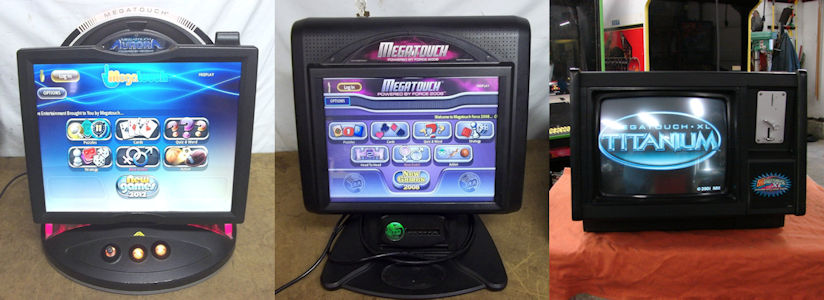
| Megatouch is now part of the AMI Entertainment Network |
(Q) I would like to know why the total nudity option on my game doesn’t work.
(A) There is some nudity in our games, but not all of the pictures will contain nudity.
(Q) I have several locations where I can't enable the nudity feature because of children, but after 10 PM, I could have the nudity on without any kids present. Is there a feature that allows you to set a time in which the nudity or adult content could automatically turn itself on and off?
(A) The software has a time feature for adult content. The TIMER button is
next to ALLOW SEX in the OPTIONS screen. Touch the button and you will be
able to set the time when you want the adult-oriented categories and features to be available.
(Q) I was wondering why we don't have the ALLOW NUDITY option
on the soft DIP switches? The manual makes reference to it, but the
option isn't there in the soft DIP menu. (A) When the ALLOW SEX option is set to NO, the ALLOW
NUDITY option will not be displayed. If you do not have the ALLOW SEX option, we will need the serial number of the cabinet
and the security key program number. To find the security key program
number, press the SETUP button. The upper left corner of the screen is
where the key number is displayed.
(Q) I would like to know if I could replace some of the pictures in the
Adult Content with pictures I have downloaded from the Internet. If yes, how
would I go about doing that? (A) The pictures in the Adult Content cannot be changed. They are part of
the software. (Q) How do I disable the erotic games on a Force 2003 Radion game? (A) In order to deactivate or remove erotic content:
1. Press the SETUP button.
2. Touch the GAMES button.
3. Touch the OPTIONS button.
4. Touch the green check mark to disable erotic content.
5. Press the red X to exit the SETUP menu.
(Q)I have Megatouch XL with no ALLOW NUDITY option.
(A) The serial key SA3046-01 R00 should allow a nudity setting, which is found under the OPTIONS button. This setting is normally the first feature that can be set.
Top
BILL ACCEPTORS/COIN
MECHS
(Q) How do I obtain the necessary kits to update
bill acceptors to take the new $5 bills? (A) Contact the applicable manufacturer to obtain
these kits directly:
Mars Electronics: 1-800-345-8172
JCM America Corporation: 1-800-683-7248
Leisure Entertainment: 1-800-645-2162 (Q) We have purchased several Megatouch Diamond Edition games and they do not have any bill acceptors. Are these tabletop
games supposed to have bill acceptors in them per manufacture design? (A) AMI manufactures countertop games with and without bill acceptors. Contact your distributor for information on
how to order games with bill acceptors.
(Q) I'm looking at buying a Blue MAXX with a Canadian coin mech. Can I update it with a U.S. coin and bill acceptor? Are
there any other changes required to run it in the U.S.?
(A) The part number of the kit you will need is KUV-107-001. This kit has a U.S. coin mech and a $1, $2, and $5 bill acceptor.
The coin-in menu will have to be adjusted to give the correct amount of credits for bills, and all lines (1E, 2E, 3E, and 4E)
should be set to "1". This screen will have to be reset whenever memory is cleared. Another option would be to replace
the Canadian security key with a U.S. security key, as the default settings of this key will be for a U.S. coin/bill cash box.
(Q) I am having problems with some MAXX games. The coin sensor is not
sensing the coins 10-15 percent of the time, causing a service call to the
account. When the sensor is tested, it seems to work OK, but occasionally it fails to sense
the coin. I have replaced one optical board already. (A) The position of the metrimate on the coin/bill unit will have to be adjusted. The metrimate connector connects the bill
acceptor and the coin mech to the cabinet. It is mounted on a bracket, which is attached to the top of the cash box with three
screws. The screws can be loosened and the bracket should be moved towards the back of the cash box. This should stop the
game from not giving credits.
(Q) I have a Megatouch Diamond countertop and the Mars bill acceptor stopped
working. When I turn the machine on and off, the two green lights above
the bill slot light for just a second, then go out. I never hear the sound
of the bill acceptor running. I am wondering if my problem is with the
acceptor and what I should do about it.
(A) Assuming that the game will coin up and play with no problem, then I
would say the problem is with the Mars bill acceptor. The games come with
a one-year warranty. If you e-mail us the serial number of the game, we
will be able to tell if it's under warranty. If so, you can contact your
local authorized AMI distributor for the replacement Mars bill acceptor.
(Q) Can I take the coin box out of my Megatouch XL and hit SETUP to add credits with it still running, or do I have to turn it off
every time?
(A) When the coin box has a bill acceptor, the power should always be off when the it is removed or placed back into the cabinet. When the coin box is coin-only, the coin box may be removed with the power on.
(Q) I have a new Megatouch Diamond console and am experiencing problems with the UK coin mechs. Can you help?
(A) Contact your distributor for coin mech problems (e.g., not giving credit for coins). They should have the fix for this
problem. If you are having different problems, please contact our customer service department with the serial number of the
cabinets with the coin problems. (Q) I have a new Radion game, but cannot get the cash and coins out.
What do I have to do?
(A) Remove the left side door (if you are facing the game) and find the knob above the coin box. Pull up on the knob and pull the
coin box towards you with your other hand.
(Q) I have an AMI Megatouch XL Platinum and it currently has an American coin mech.
I would like to change that to a Canadian Loonie acceptor. Where can I get the part(s) for this? (A) If you have a coin-only mechanism, you will need the roll-down mech, which is
HW8249-04. If you have a coin/bill drawer, you will need to change the whole
drawer -- the kit number is KSV-107-006-01 for the electronic mech. These
parts are available through your distributor.
(Q) How do I change my coin settings to give 5 credits for $1 and 25 credits for $5?
(A) The settings are as follows:
Coin menu - bonus setup:
E1 = COINS
To set the menu to give 25 credits for $5.00:
Coin Inputs/Coins Credits Meter Pulses E1 1 1 1 E2 4 4 4 E3 4 4 4 E4 1 25 20 To set the menu to give 5 credits for $1.00:
Coin Inputs/Coins Credits Meter Pulses E1 1 1 1 E2 1 1 1 E3 4 4 4 E4 20 25 20 (Q) I'm having problems with my AMI Megatouch 5 PCB. I have the CRT-260
board and when I turn the machine on, all I get is clicking on the coin
counter. The coin counter keeps clicking while the machine is on and the game
does not boot up. Any ideas?
(A) On the CRT-260, there is an IC chip at U41 called a UART. With the game
turned off, remove the U41 chip and turn the game back on. If the game powers up
with a touch control failure, then the UART chip at U41 is bad. If the
problem has not changed, then U26, U19, U20, U49, U50, or U51 may be defective.
Should the 260 board need service, you can send
it in through an authorized AMI distributor.
(Q) I have a Megatouch Force 2003 that has recently stopped accepting coins. The machine was brand new when I
installed it and it worked for approximately one week, but now all coins are being returned. Can you advise me
how I can fix this? (A) Chances are that the electronic mech is probably defective. Normally I don't see any real problems with this
electronic mech, but you may want to contact your distributor for a replacement electronic mech. The games
have a one-year warranty. If you have any other issues concerning this problem, please contact us.
(Q) I need to know the pinout for the cash box AMP 12-position connector. (A) The pinout for the coin/bill cash box is:
(Q) I have an older Megatouch game that has a coin mech only. Is a part available to add or switch to a bill acceptor? (A) There is no kit available to simply install a bill acceptor; you would need to purchase the complete coin/bill door. The part number is KUV-107-001. Contact an authorized AMI distributor for pricing. You can find a list of distributors on our Web site.
(Q) I've got a problem with my Megatouch 5 machine. When I deposit quarters, it doesn't always recognize them.
After some testing, I've found that it only recognizes about 1 out of 4 quarters for credit. They fall through into the
coin box, but don't give a credit. Is there any way to fix this problem? (A) Make sure the trip finger (paper clip wire) is being
tripped or making contact when coins pass through it. Also check the
physical trip finger of the coin switch itself. It may need to be
adjusted. In addition, check the pins in the black connectors on the coin
door and the game and make sure the pins are not backed out of the
connector. (Q) Will the Mars AE2600 bill acceptor work with the Megatouch eVo? Do I need any
special settings or mountings to connect the AE2600? (A)The Mars AE2600 bill acceptor should work, but the stacker size is an issue. It
must be a 500 bill stacker.
(Q) Could you tell me the pinout for the bill acceptor on the I/O board (J8)? (A) Force Fusion
The
J8 pinout as follows:
E2 = BONUS CREDITS FOR LARGER INITIAL COIN INPUT
E3 = ONE DOLLAR
E4 = BONUS CREDITS FOR FIVE DOLLARS
1 - N/C
2 - N/C
3 - field ground - green/yellow wire
4 - N/C
5 - normally open - coin switch - black wire
6 - bill acceptor pulse - black wire
7 - N/C
8 - N/C
9 - AC neutral - blue wire
10 - N/C
11 - logic ground - green wire
12 - AC hot - brown wire
Pin 1 - Coin 5 Pin 7 - Ground
Pin 2 - Coin 6 Pin 8 - Ground
Pin 3 - Coin 7 Pin 9 - VSS
Pin 4 - Coin 8 Pin 10 - VSS
Pin 5 - Ground Pin 11 - Ground
Pin 6 - Ground Pin 12 - VSS
BOOT PROBLEMS/ERROR MESSAGES/REBOOTING
(Q) I have a Slim MAXX and noticed DIP switch 5 is on. What is the correct switch setting? Also, sometimes the game completely shuts down except for the monitor. After turning off power, waiting a few seconds, and rebooting, everything comes back up. Is this a power supply problem?
(A) All DIP switches in this particular game must be in the OFF position. It is possible that the power supply is going bad. We have seen some problems in the past with this version motherboard. Should replacement be needed, the part number is EC7531-03 -- you will need to go through an authorized AMI distributor. You can find a list of distributors on our Web site.
(Q) I have a MAXX Emerald that, once in a while when it loads, will stop at “Hit F1 to continue.” When I plug a keyboard in and hit F1, it loads and is fine for a month or two, then the problem reoccurs.
(A) You may need to try a CMOS configuration for the
Mitsubishi / Itox (MAXX):
1 - Plug in a keyboard and turn on the game.
2 - Press F2 to enter Phoenix BIOS Setup Utility.
3 - Press F9 to load Setup Default.
4 - At Setup confirmation, press ENTER with YES shaded (check time & date).
5 - Press F10, save and exit.
6 - Press ENTER for confirmation with YES shaded, then
unplug the keyboard.
7 - The system should reboot.
(Q) My machine started having screen blackouts in the middle of operation. Then when the machine was rebooted, it would post and go through everything. When it tries to load into the games, I saw the following error: "Invalid Key for version PG3002 V9.00 (02/28/02)." Occasionally, it would boot into the game after several restarts. Then one day the screen blacked out again and now the screen won't turn on. All the fans spin and the bill acceptor still lights up.
(A) Due to the fact that the fans are functioning on power-up, it would appear that the motherboard may be the problem. Unplug the video cable from the motherboard and turn the game back on. You should see graphics on the screen, which would indicate that the monitor is working and the problem is related to the motherboard. If so, the motherboard would need to be sent in for service through an authorized AMI distributor.
(Q) I recently purchased games and two of them will not boot. The power is fine, the outlets are grounded, and there are no compressor or neon fixtures. What is wrong?
(A) The power supplies will need to be replaced. Contact your distributor for advance replacements, provided the games are under the one-year warranty. Provide them with your serial numbers and they will be able to give you that information.
(Q) Are there any known issues with the Megatouch MAXX Plus series that would explain intermittent boot failures? The game will turn on and the fans will run, but nothing comes on the screen. Generally, turning the game off and on once or twice will get it to run. Besides loose connectors and/or loose DIMMs, which were checked, are there any problems with the video card identification or anything else?
(A) If the game is resetting or locking up, do a checksum test of the hard drive. See tech2008.pdf for instructions. If the checksum is correct, the game will go into the attract mode after the test is completed; if there is a wrong checksum, the screen will have a CHECKSUM ERROR message--in this case, the hard drive should be replaced. If there are no other problems, the power supply should be replaced. The game has a one-year warranty; contact your distributor with the serial number to get an advance replacement. Also, check the line voltage and make sure there isn't a compressor unit on the same line as the machine.
(Q) When I turn my machine on, the screen says “CMOS CHECKSUM ERROR - DEFAULTS LOADED”. Can you tell me what I need or what I can do to fix it?
(A) The CMOS configuration is the information or settings of the motherboard (time, date, etc.). You will need a computer keyboard in order to correct this problem. See tech2008.pdf for the CMOS configuration procedure.
(Q) I have a Megatouch XL that will not boot up. I put a new drive in, but it didn't help. What do I try next?
(A) If the game starts to boot up, but locks up with the message ERROR READING DRIVE F, either the ribbon cable or the motherboard is bad, since the CD drive has been changed. CRITICAL ERROR ABORT RETRY FAIL OR CAUSEWAY ERROR 09, the motherboard is bad.
INVALID DRIVE SPECIFICATION, the ribbon cable is bad.
Also, what brand and speed of CD-ROM drive did you use, and is it set in the Slave (SL) position? Does the screen stay blank when power is turned on? Check the power supply. If the power supply has the correct voltages, the motherboard is bad.
If the screen is blank, leave the game on for a few minutes before inserting coins.
If there is sound, the problem is with the monitor.
(Q) What is causing the "CRITICAL ERROR, ABORT, RETRY, FAIL" error? We have several of the XL models that keep coming up with this message. I would appreciate any help on this problem.
(A) The message of CRITICAL ERROR, ABORT, RETRY, FAIL or ERROR READING DRIVE F: points to the CD-ROM drive. The average life span is about 8-12 months. We have been directing operators to a Web site called www.pricewatch.com. Click on CD-ROM DRIVE, BRANDS, and the MITSUMI name brand. The Mitsumi 48X and 54X CD-ROM drives seem to work best in our games. Also, replacing the IDE ribbon cable may be helpful.
(Q) I have a Diamond machine that gives a “BOOT DISK ERROR” message when I start the game. Is the hard drive bad?
(A) The error you are describing appears to be related to the hard drive. Any type of error with the words BOOT DISK or BOOT DISK FAILURE is related to a defective hard drive. If the hard drive is defective, the best thing to do is to contact your distributor for a replacement Diamond hard drive.
(Q) When I turn the power on to my game, the following message appears: “NO SYSTEM FILES FOUND OR DISK ERROR PRESS A KEY TO REBOOT”. Before that, the game was working fine. Any help would be appreciated.
(A) The error being displayed is directed at the hard drive. Chances are, the hard drive needs to be replaced. If the game is out of warranty, you will need to contact an authorized AMI distributor for a replacement hard drive. You need to give the distributor the number on the security key (this device looks like a small frying pan). The number will have six digits in it (example: SA3035-01 or SA3042-06). The distributor should be able to match the number on the security key to the correct hard drive software version.
(Q) I am working on a Megatouch Gold CD-ROM. When I try to get into the SETUP, the loading button appears and the game resets itself to boot up with an "OPERATING SYSTEM NOT FOUND" error. I have already changed the CD-ROM drive and the Gold CD. What do you suggest?
(A) The OPERATING SYSTEM NOT FOUND error is the motherboard looking for U12 EPROM on the I/O board. The most common problem is dirty edge pins on the I/O and riser boards. Try cleaning the edge pins with a pencil eraser. Carefully reseating U12 may also help. This problem actually has nothing to do with the CD-ROM drive or CD. See tech2008.pdf for help with troubleshooting.
(Q) I have an old model F218000 that is giving an "ERROR CODE 3" message. What does this mean?
(A) ERROR CODE 3 is caused by a missing or corrupted security key. The security key is located on the CRT254 interface board and connects to five (5) header pins on one end of the board. The number on the key should be 9233-01. Make sure the security key is connected to the interface board. If there are no bent pins and it still comes up with ERROR CODE 3, then the key has been corrupted and will have to be send in for repair. Repairs need to be sent to AMI through your local authorized AMI distributor.
(Q) We have a unit that comes up with "FAILURE IN DRIVE A". What is this in reference to?
(A) Chances are that you have an XL game with a CMOS configuration problem. Please see tech2008.pdf for the XL game CMOS configuration. Note that we used two types of motherboards in the XL game and that you will need a computer keyboard in order to reconfigure.
(Q) I have a Megatouch XL that comes up "ERROR READING DRIVE F". Could you please tell me what this is and how to fix it?
(A) ERROR
READING DRIVE F or CRITICAL ERROR ABORT RETRY FAIL both refer to the CD-ROM
drive and maybe the CD itself. You may need to replace the CD-ROM drive.
We have been referring operators to Web site www.pricewatch.com , an on-line computer warehouse. Go to
STORAGE, then CD-ROM. Go to the bottom and click on BRAND. There
you'll find MITSUMI 48X. The 4X and 24X are no longer available.
This CD-ROM drive has a good track record with our operators.
Also see tech2008.pdf .
(Q) I have an XL touchscreen that reads: "BOOT FAILURE, INSERT SYSTEMS DISK AND PRESS ENTER." Could you tell me the problem?
(A) When a game locks up with DISK BOOT FAILURE, the motherboard is not receiving the data from U12 on the I/O board. Try these possible solutions: Clean the connections between the I/O board, riser board, and motherboard. Check U12 for bent pins. Check the U12 socket for damage. Replace U12.
tech2008.pdf should be helpful in troubleshooting.
See I-O board.pdf and riser board.pdf as well. If none of these procedures correct the problem, the motherboard assembly will have to be sent through your local distributor to be repaired.(Q) I have a 2003 Megatouch Force game that is showing a “PXE-E61 MEDIA TEST FAILURE - CHECK CABLE” message and also “DISK BOOT FAILURE - INSERT SYSTEM DISK AND PRESS ENTER”. Could a bad hard drive be the problem?
(A) You may want to try reseating the IDE ribbon cable, but normally this error would indicate a defective hard drive.
(Q) I have a Megatouch 5000 XL that is locking up at the first Megatouch logo. "Megatouch XL" will be on the screen and the 5 from 5000 will be OK, then when the first 0 from the number 5000 comes on, the game will lock up and the 2-button clear doesn't always bypass the problem. Sometimes it will not lock up on the 5000 and will go into attract mode and show all the different games, but when it makes a complete cycle and the Megatouch XL emblem comes on, it will lock up after the 5 and the first 0. Do you think the problem is a bad CD or a bad CD-ROM drive?
(A) The T5D is an XL 5000 tournament version, and it appears that your CD-ROM drive may be the problem. When you see the FAILURE DRIVE F message, it is related to the CD-ROM or the CD itself. I would try replacing the CD-ROM drive, but first check the CD for dirt or scratches.
(Q) I have a problem with a MegaXL 5000. The machine will work for a while and then say "FATAL ERROR, ABORT, RETRY". Could it be that the CD driver is bad?
(A) A game that locks up with CRITICAL ERROR, ABORT RETRY FAIL, or FATAL ERROR while it is being played usually indicates that the CD drive needs to be cleaned or replaced.
(Q) I have a Megatouch MAXX. When I turn it on, it freezes with "CAUSEWAY ERROR #9" and "CAUSEWAY ERROR #11 ". While playing Tri-Towers, it will work for little while before some of the cards become distorted on the bottom third of the card. Sometimes when the flip card at the bottom of the screen is, let’s say, a 5, then you should be able to hit 4 or 6, but the machine will just buzz. It is not the calibration, because if you keep poking different cards, it may throw a king or something on top of the 5 instead of a 4 or 6. Help?
(A) A causeway error #9 or #11 could indicate any number of problems. Some things to check first would be the grounding of the wall outlet and the AC power cord ground pin. Next, try reseating the I/O and riser boards. Also, reseat the IDE ribbon cable from the hard drive to the motherboard. Memory corruption could be a problem a well. Please see tech2008.pdf for the procedure to clear memory with a keyboard.
(Q) I have an XL 5000 and am getting the message "CAUSEWAY ERROR 09: UNRECOVERABLE EXCEPTION. PROGRAM TERMINATED". What’s the problem?
(A) This error indicates a problem on the motherboard assembly. Check the IC's that are in sockets for pins or poor connections. Also clean the contacts on the I/O board, riser board, and the SIMMs with an eraser and clean off any dirt or dust that may have built up on the boards. If this does not correct the problem, the motherboard assembly will have to be sent in for repair through your local authorized AMI distributor.
(Q) We have a Megatouch XL. While it's sitting idle, it locks up and goes to the screen prompting F2 and reprogramming. Also, it went to the next screen while in the middle of a game. How can we fix this?
(A) When an "F" prompt appears, it normally indicates a problem with the CD-ROM drive or the CD. The CAUSEWAY ERROR 09 does not point directly to any problem. It can be a problem with any of the following: The CD, such as scratches. The SIMMs may have a poor connection. Try reseating them. Dirty contact connections between the I/O and riser boards. Try cleaning the edge pins with a pencil eraser. Memory corruption (also called "BAD INFORMATION"). Try a two-button memory clear.
See tech2008.pdf for help in troubleshooting our games.
(Q) I have a Blue MAXX with a 2K-Plus program. The game came up with a stop sign asking to contact you, and the tech explained how to enter the 25-digit code to access the game again. Last night, it happened again. Any ideas on this one?
(A) The SYSTEM SHUTDOWN message you are getting points to the anti-theft system. In most cases, the code is set by a person, but it can also be triggered by memory corruption. When the anti-theft system is active or enabled, it will ask you for the number of weeks (1-4) before it's active and also has you set the code. When entering the access code as you have done, it is only resetting until one week later. In order to deactivate the system after you enter the access code, you need to go into the SETUP button and enter the OPTIONS screen -- the last page in OPTIONS allows you to access the anti-theft system. When you go to shut it off or deactivate it, you need to enter the access code again.
(Q) I have a MAXX machine which has gone down. The screen shows "CONTACT YOUR TECHNICAL REPRESENTATIVE." Can you help?
(A) Apparently, the theft deterrent option was set on the machine. You will be instructed to contact your distributor to give them the 25-digit number and the distributor will then contact us. If you follow this procedure and that does not resolve the problem, then you may have an issue with the Dallas RAM. See the "Theft Deterrent System Shutdown" note on our Web site under Support Center/Service Bulletins/Touchscreen Video Games.
(Q) I’m having a problem with a Megatouch video game, model number G20-100-003, serial number is 528970 07/96. When I switch it on, the screen reads "WAIT-TESTING, START UP NORMAL". After a few seconds "TOUCH CONTROLLER FAILED" appears. Do you have any information on the fault?
(A) This problem is the CRT-260 board not reading the white touch controller box. Check to see if the green LED on the controller is on. If so, does it get brighter when the screen is touched? This would mean the controller is registering a touch from the screen. If this is not lit, make sure the orange wire is connected to the +12.0 vdc at the power supply and that the green and gray wires go to the ground terminal on the power supply.
The problem could also be something on the CRT-260 board (U39, U40, U41 are all related to the circuit involving the touchscreen). If you have another CRT-260 board to work with, you might try switching components between the two boards. If possible, try the problem CRT-260 board into another game to see if the problem follows.
(Q) I have an older Megatouch machine that has begun inadvertently rebooting to the testing screen. Sometimes this occurs at startup, sometimes in the middle of a game. Any suggestions?
(A) Assuming the screen is reading WAIT-TESTING, this game is a CRT-260 board-based game. Check the power supply and make sure it is set at +5.20 vdc. After that, try a two-button memory clear. See tech2008.pdf for instructions.
(Q) I have a new Force 2002 Point 5 Radion that constantly reboots. It will go through the loading process, scroll through the technical info, then go to the main menu and attract mode before the screen goes blank and the process starts over again. Obviously, if someone walks up and puts money in it during the start-up process, they will lose their money. Oddly, if someone starts playing it during the main menu part of this process, everything will function properly as long as they continue playing. I've tried all your suggested solutions, i.e. checking all the connections, etc. I know the electrical outlet is functioning properly because I had a MAXX Diamond in the same spot for a year prior to this. I even installed a brand-new power supply. Please send me any advice you may have.
(A) If replacing the power supply did not correct the problem, the next step would be to replace both the motherboard and the hard drive. Chances are that the motherboard is the problem, but I would suggest you replace both components together at the same time. You will need to contact your distributor with the serial number of the game and they will assist you with an advance replacement.
Motherboard part number: SA10057-02.
Hard drive part number: PA3012-01.
(Q) My MAXX Emerald game stops during boot-up, but finishes when I connect a keyboard and press F1. What can I do to prevent this?
(A) Chances are that you're having a CMOS configuration problem. If yours was an XL-to-MAXX conversion kit, the motherboard is a Unicorn. See tech2008.pdf for Unicorn CMOS configuration instructions.
(Q) I am repairing the monitor in a Megatouch IV. I powered up the game and now it shows an "ERROR 3" message. Would this be related to the power on the board? The power supply was setting at 4.7v on plus 5v, so I changed it to 5.3v. Would this cause an "ERROR 3" message to display?
(A) The ERROR 3 points to the security key. In some cases, the voltage is set too low and the game will reset and try to power back up. The ERROR 3 was used on versions of software used on the CRT-250. Try reseating the security key. If the key is defective, it will need to be sent in through an authorized AMI distributor for repair/replacement. The voltage on the power supply should be set at +5.20, which brings the board voltage to about +5.15.
(Q) I have a Megatouch MAXX that gives a "BAD COMMAND OR FILE NAME" when it gets to the "R.BAT" file. What do I do?
(A) The BAD COMMAND OR FILE NAME error normally has to do with the software on the hard drive. You might want to try and reload the CDs back onto the hard drive. There is also a chance that the hard drive could be defective. But try and reload the CDs first.
(Q) We just bought a 1997 Megatouch XL Gold that is booting up with an "INVALID DRIVE SPECIFICATION" message. What can we do to fix it?
(A) The error message INVALID DRIVE SPECIFICATION is normally related to a problem with the IDE ribbon cable running from the CD-ROM drive to the Telco motherboard. It may need to be reseated or even replaced. Also, the CD-ROM drive can be responsible for this as well and may need to be replaced. www.pricewatch.com is a good site to get the 54X Mitsumi drives. This is the drive manufacturer that was used when the games were being made.
(Q) I am updating an XL game to Ruby and my system continuously re-boots. There is a failure identified on the screen that indicates ‘NO BACKUP FILES’.
(A) Check the CDs for any damage or scratches. If this is not the problem, we recommend that you replace the CD-ROM drive. You can find inexpensive Mitsumi drives at www.pricewatch.com . The 48X, 54X, and 56X drives appear to work just fine.
(Q) I am experiencing a system boot failure with my game. An "INSERT SYSTEM DISK" message appears on the screen and the system won't boot. I have tried rebooting several times.
(A) Disk boot failure is caused when the motherboard does not detect the hard drive. Check the connections on the IDE ribbon cable from the hard drive to the motherboard. Make sure there is +5 volts and +12 volts to the hard drive. The red wire is +5 volts, the yellow wire is +12 volts, and the black wire is ground. If the connections are good and you have power to the hard drive, then the hard drive is bad and will have to be replaced. Contact your distributor for a warranty advance replacement -- the part number for the hard drive is PA3014-02.
(Q) I have a MAXX Select game with Ruby software. It does not boot up, but displays "KEYBOARD ERROR” or “KEYBOARD NOT CONNECTED" on the screen instead. I can start the game using a keyboard, but once the game is turned off, it will not start again and it displays the keyboard error. The battery is new and the machine has the correct time and date. What can I do?
(A) You may need to do a CMOS configuration. Sometimes if the information in the CMOS gets corrupted or has bad data it can cause strange problems like this one. See tech2008.pdf for CMOS configuration information. It will be listed under Telco 486 and Unicorn 586 for your particular game.
(Q) Our Megatouch Force 2003 game occasionally reboots after money is inserted. This occurs about every other day, and there does not appear to be any trouble with the mains supply or the mains entry.
(A) I would have you try and clear memory. There is a way to do this using the DIP switches on the I/O board. Set DIP switches 4 and 7 to the ON position and turn the game on. The screen will eventually tell you to reset the DIP switches to reboot the game, but only reset the DIP switches -- do not turn off the game. The game will then reboot twice and go into calibration mode. This procedure will completely clear the memory.
(Q) I have a Radion Force 2002 that is having trouble with the boot-up procedure. I'm able to enter the correct date and time information when asked, but it then continues with a "Datalight ROM-DOS Version 6.22" message and below that, the “C:\>” prompt followed by a flashing cursor. How do I continue from this point?
(A) Anything that displays a “C” or “C:\>” prompt has to do with the hard drive (drive C). The hard drive could be defective and may need to have the software reloaded onto it. Do you have the 2002 CDs? Emerald CDs would also work when reloaded, as they are the same CDs. I would try a reload first before deciding that the drive is defective.
(Q) I’m trying to upgrade my Emerald machine to Ruby2. After I loaded the program and installed the memory and security key, the game now boots up with a “BOOTING THE KERNEL: INT; ERROR WHILE LOADING SHARED LIBRARIES/LIB/LIBC.SO.6 UNDEFINED SYMBOL: CURRENT_LC CTYPE, VERSION GLIBC_2.0." Please help.
(A) The IDE cable from the hard drive must be connected into the primary IDE port on the motherboard. This will be the connector closest to the edge of the board. When the hard drive is connected to the secondary IDE port, the game will lock up with the BOOTING THE KERNEL message.
(Q) During boot-up, my Megatouch Gold unit displays: “0123 DATALIGHT PAGED MEMORY DISK INSTALLED AS DRIVE D: 456 STARTING ROM-DOS 789”. After a minute or two, it displays: “NOT READING DRIVE A ABORT, RETRY, FAIL?” What do I need (parts/part numbers) to get my game operational again?
(A) The “789” would indicate a problem with the I/O board on the mother assembly. The best thing to do would to have the motherboard assembly sent in for service through an authorized AMI distributor. You can find a list of distributors on our Web site.
(Q) I have a Force Radion 2002 that periodically racks up many credits and sometimes temporarily displays "COIN JAM". After testing, including replacing the power supply, running with all doors open, and upgrading to 2003.5, the problem still remains. I have disconnected the optical coin switch and that seems to alleviate the problem. Should the switch be replaced, or did I just interrupt some other board's bad behavior?
(A) The opto board has displayed this problem in the past. If the I/O board were in question, the "COIN JAM” error would appear even if the opto board were disconnected. The best thing to do is to contact an AMI distributor for a replacement opto board.
(Q) On my MAXX Diamond game, the machine cuts off and reboots itself when the Monster Madness game is played. This is the only game in which this occurs. What would cause this?
(A) There are a couple of things that may cause this problem, corrupt memory or corrupt software. The first thing to do is a keyboard clear. See the MEMORY CLEAR section in tech2008.pdf for details. Should a keyboard clear not resolve the problem, try reloading the Diamond CDs.
(Q) I get an ERROR 64 message when converting my MAXX game to Sapphire.
(A) ERROR 64 may indicate a defective hard drive, but you may want to try a different CD-ROM drive and CDs before declaring the hard drive is the problem.
(Q) On my Vibe running Force 2004, the machine reboots after playing Pharaoh's Fortune several times in a row. Is there a fix for this?
(A) You may want to try resetting the memory: Turn off the game and access the I/O board in the Vibe processor. Turn DIP switches 4 and 7 to the ON position. Turn the game back on. After a short period of time, a message will appear on the screen instructing you to reset the DIP switches in order to reboot the game. Turn off the DIP switches only. DO NOT TURN THE GAME OFF. The game will reboot twice by itself and then bring up the calibration screen.
(Q) We bought a Megatouch Gold on eBay and it locks up when it goes through its games on the attract screen, mostly on Wild 8’s. Do we need to get a new program?
(A) The CD-ROM drive is normally the main problem with the XL game, and it may need to be replaced. Also check the CD for any scratches. If that does not solve the problem, try a two-button memory clear. See tech2008.pdf for details.
(Q) I recently bought five eVos that all seem to reboot when a customer tries to play Word DoJo. Is there a fix for this problem?
(A) Chances are that you will need the current Force 2004.5/Sapphire 2 (V13.00) update CD, as there is a problem with some games rebooting, such as Word DoJo. The update CD is available through your distributor at no charge.
(Q) Can anyone tell me why DIP switch #6 is in the ON position in all three of the eVo units I received in the same shipment?
(A) All DIP switches in this game should in the OFF position except #3, which is for the watchdog circuit. Refer to Tech Note 65 on the Service Bulletins page for an explanation of DIP switch settings in Force and MAXX games.
(Q) The screen goes blank on my game after it boots up. What could be causing this problem?
(A) The problem may be related to a connector going to the I/O board. In the lower left corner of the board is a male pin connector (J4) labeled “Printer”. Check to make sure that nothing is connected to it, or disconnect anything that may be connected to it. Then try turning the game back on and see what happens. See CRT500.pdf for the location of the J4 connector.
(Q) My Megatouch game worked perfectly until a few days ago when we placed it on the other end of a bar. It was not dropped or shaken in any way. Now when you power it up, it starts to beep sequentially and the monitor doesn't power up at all. What could cause this?
(A) The beeping is more than likely a problem with the DIMM. Chances are that you may only need to reseat the DIMM on the main motherboard.
(Q) My machine reboots itself all the time. Has this been a problem in the past? If so, is there a fix for this?
(A) The serial number indicates an eVo game with V12.01 software. There was a reboot problem with this version of software. You will need to contact your distributor for the V13.00 software, which is a free update. In the meantime, you can default the software by doing a DIP switch 4 and 7 procedure: Turn the game off and put DIP switches 4 and 7 to the ON position. Turn the game back on and wait for a message telling you to reset the DIP switches to reboot the game. ONLY RESET THE DIP SWITCHES - DO NOT TURN THE GAME OFF. The game will detect the change and reboot twice and finish in the calibration screen. Calibrate the touchscreen.
(Q) I've got a Force Radion game. The system boots up to the point where it stops with this error message: “PXE-E61 MEDIA TEST FAILURE, CHECK CABLE”. I replaced the IDE cable (the original had a nick/cut at the pin 1/red wire). Is there any difference in the AMI IDE cable and an off-the-shelf IDE cable? If so, what is the pinout of the cable? Replacing with a standard IDE cable yields the same error message, so I'm leaning towards the hard drive.
(A) Chances are that somewhere in the message is a DISK BOOT FAILURE error, which would indicate a defective hard drive. The AMI IDE ribbon cable is not custom, it is an EIDE ribbon cable. Since you already changed out the ribbon cable and received the same error message, the hard drive is more than likely the problem.
(Q) When loading my MAXX Sapphire game, the software loads, but then comes up with the prompt "LOCALHOST LOGIN". I have no idea what this is. Could you please help?
(A) The LOCALHOST LOGIN problem may be the result of a corrupt hard drive. Try reloading the Sapphire CDs, which will reformat the hard drive.
(Q) I have a Megatouch Super XL 5000. Every half an hour I get a critical error on the screen. It’s a DOS prompt asking me to ABORT, RETRY, as if it’s missing something and can't continue running. The game itself operates great without any problems. This error happens whether someone is playing it or not. If you could, please give me some pointers on fixing the problem.
(A) Message CRITICAL ERROR, REBOOT, RETRY normally has to do with the CD-ROM drive failing. You need to replace the CD-ROM drive. You may want to check the CD for any possible defects, scratches, etc., as well.
(Q) My Megatouch Force Radion machine gets the following message during bootup: PXE-E61: Media Test Failure, check cable DISK BOOT FAILURE, INSERT DISK AND PRESS ENTER. I checked the IDE ribbon cable and it is secured tightly on the motherboard and hard drive. What other remedy could there be for this problem?
(A) Disk boot failure is a failed hard drive. The hard drive will need to be replaced.
(Q) I have a Megatouch MAXX Sapphire edition, model#G20-101-001, program#SA-3008-01-R006-R5E. There is another sticker that says: XL MAXX conversion, Model #KUV-107-058-01. When I turn the machine on it says, "CMOS checksum error, press F1 to continue, press DEL to enter setup - 4103/2001-VP4-686A-2A5LHU4DC-00." What do I have to do to fix it?
(A) The CMOS error can be corrected with a computer keyboard. Enclosed is the CMOS configuration for the Unicorn motherboard.
Telco 486 (XL) & Unicorn 586 (MAXX) (Telco 586)
1 - Plug a keyboard into J4 (Telco XL) or purple port (Unicorn MAXX).
2 - Press the DELETE button to enter Setup.
3 - Select LOAD SETUP DEFAULTS. Press Enter.
4 - Press Y for "Yes". Press Enter.
5 - Select STANDARD CMOS SETUP.
6 - Press Enter. The settings should be as follows:
· Date: Set to current date.
· Time: Set to approximate time.
· Hard Disks: All TYPE and "MODE" fields set to AUTO
· Drive A: 1.44M, 3.5 in
· Drive B: None
· Video: EGA/VGA
· Halt On: All, But Keyboard
7- After all settings have been changed or verified, press Esc.
8a through 8d for boot sequence for Unicorn 586 only, for Telco 486 continue to Line 9
8a - Arrow down to "Load to BIOS Feature Setup." Press Enter.
8b - Arrow down to BOOT SEQUENCE.
8c - Use the Page Up or Page Down keys to change the sequence to: CD-ROM, C, A.
8d - After all settings have been changed or verified, press Esc.
9 - Press the F10 key. Press Y for "Yes".
10 - Press Enter and unplug the keyboard. The system should reboot.
(Q) When Mega MAXX is starting up, it says, "Check time and date" and goes no further.
(A) Following is the Itox motherboard CMOS configuration. You will need a keyboard to do the CMOS configuration. Plug the keyboard into the top or purple PS2 port.
Mitsubishi / Itox (MAXX)
1 - Plug in a keyboard and turn on the game.
2 - Press F2 to enter Phoenix BIOS Setup Utility.
3 - Press F9 to load Setup Default.
4 - At Setup confirmation, press ENTER with YES shaded. Check time & date.
5 - Press F10, save and exit.
6 - Press ENTER for confirmation with YES shaded, then unplug the keyboard.
7 - The system should reboot.
(Q) I recently purchased this machine and when I fire it up, the screen has a big blue box with multiple error messages followed by "Operating system not found". I have all the keys and don't know what else to do. Please help!
(A) Assuming this is a CD-based game, chances are that the motherboard is not seeing the I/O board. You may need to clean the edge pins on the I/O board and the riser board. The U12 EPROM is the operating system on a CD- based XL game.
(Q) We have several of your machines, but are currently having problems with a Platinum edition. When it boots up, instead of proceeding to the loading screen, a cursor just flashes in the top left-hand corner of the screen. Any ideas?
(A) Is the game hard drive-based or CD-ROM drive-based?
If it is hard drive-based, there is a possible hard drive
failure. This is determined by the flashing cursor. If it is CD-based, it is a
possible defective CD or CD drive.
(Q) My machine tries to boot from floppy only. The Motherboard is an ENDAT-5701.
(A) The serial number indicates that the game is a MAXX Select with a Unicorn motherboard. Is the keyboard plugged into the purple port? If the CMOS configuration does not help correct the problem, then there is a problem with the Unicorn motherboard. It would have to be sent in for service through an authorized AMI distributor. You can find a list of distributors on our Web site www.amientertainment.com.
CD-ROM
(Q) I have a problem with some CD-ROM drives that I have
put into Megatouch XL's. How can I obtain a list of replacement CD-ROM
drives that will work in the Megatouch XL's? (A) The Mitsubishi 48X is about the only thing that
comes close to what we use. This list was put together over time with the
help of our street operators.
Alternative CD-ROM drives: Mitsumi, Panasonic, Samsung, U.S. Drive, Hitachi, Toshiba, Lite On, Sony, Atlas, Digital Research and BTC
Non-compatible CD-ROM drives: Memorex, Newcom,
Phillips,
I/O Magic,
Afreey,
Hi-Val,
Delta,
D-Zone,
Cyber,
Be sure that these drives are low-speed, i.e. 24X, 32X, 48X
(for a Mitsumi). A higher-speed drive is not recommended. All drives
should be IDE interface. When placing the drives in the machine, they
should be set on "SL" (for "Slave") on the jumper next to the IDE connection on
the back of the drive.
Q) I am having CD-ROM drive problems on a Megatouch XL
upright. I get the message "ERROR READING DRIVE F". This can occur
at boot-up or, more often, after the game has started. I have changed the
CD-ROM drive, the disc, the IDE ribbon cable, and the power supply; I’ve also
cleaned all the fans and made sure the ventilation is good. But the fault
still returns. The game works fine in every other respect. Any
pointers would be appreciated. (A) The ERROR READING DRIVE F message refers to the
CD-ROM drive. If the CD is not scratched, chances are that the CD-ROM drive is
the problem. Sometimes the brand or manufacturer being used may be an
issue. Input from other operators that we have dealt with has helped us put
together a partial list of known non-compatible and compatible CD-ROM
drives: NON-COMPATIBLE: Memorex, I/O Magic, Afreey, Delta,
and Phillips. (These may work from 2-3 days to 2-3 weeks.)
COMPATIBLE: Mitsumi, Sony, Samsung, Lite-On, and
Panasonic.
Mitsumi and Hitachi were the two manufacturers that we used
in manufacturing the XL game. Hitachi no longer makes CD-ROM drives, but
Mitsumis are still available. We have been directing operators to a Web
site called Also, make sure that the small
jumper is set to the SL position (slave) in your game. (Q) I have a MAXX Emerald game
with a Mitsubishi motherboard. The game does not boot and gives a "CD-ROM
DEVICE NOT FOUND" error. The hard drive is OK (it was tested in another
game).
(A) It is possible that the
CMOS may need to be reconfigured or the boot sequence changed. CMOS
configuration. See tech2008.pdf for instructions. (Q) I am having trouble with my Megatouch MAXX Diamond
edition. The power supply stopped working, so I put a new one in. It turned on,
but a message said to remove the metal plate from the CD-ROM and touch OK. I
couldn’t figure that out because there isn’t a CD-ROM. Then I tried turning it
off and back on and now the screen is all wiggly.
(A) Most likely, DIP switch
1 is in the ON position (down). Turn the game off. Make sure all of the
DIP switches on the I/O board are in the OFF position (which, in this case,
should be UP), then turn the game back on. (Q) I am trying to upgrade Blue MAXX to MAXX 2K.
There is an error message reading the CD-ROM and the screen will not come up to
the touchscreen. What can be wrong?
(A) Check that the CD drive
is set as MASTER. If it is set as SLAVE, the motherboard will not see the
CD drive and it will lock up with the INVALID KEY message. Check the
ribbon cable, which connects to the secondary IDE port on the motherboard and
goes to the back of the Centronics connector board.
A two-CD set can only
update a hard drive that is version V3.01 to V3.07. If you have a version
R01 or R02, you will have to get a three-CD set to update the hard drive.
To find the version of the hard drive, push the SETUP button behind the coin box
and look for the revision number displayed in the upper left corner on the first
screen. (Q) I have a MAXX 2K Plus
which is ignoring the CD-ROM when I am trying to update to Sapphire. The
motherboard is a Telco with two SIMMs. I’ve tried turning DIP switch 8 on,
but it has had no effect. (A) Since you have a Telco
586 board, chances are you'll need to change the boot sequence. The Telco
board has to be set up to boot from the CD-ROM drive. Once the change is
done, you do not need to change the sequence back. To change the boot sequence
on a Telco 586: (Q) I have an upright
Megatouch XL 6000 game with a Telco motherboard. I replaced the original
CD-ROM drive (I’m not sure of the speed, but I believe it is slower than
24X). Generally, it works OK, but users have reported that sometimes, when
the system is loading a game from the CD, the system hangs and needs to be
power-cycled. I have cleaned the CD, and reseated the RAM chips and I/O
board connections on the motherboard. Can you tell me if there is anything
else I can do or what other suggestions you may have to fix this problem?
Are there any compatibility problems with regards to what type/speed CD drive
that can be used? (A) There are some CD-ROM
drives that are not compatible for the XL game. Memorex, I/O Magic, Delta,
and Afreey are some of the names that we’ve had problems with. We have been directing
operators to a Web site called www.pricewatch.com. and
the Mitsumi 48X CD-ROM drives. They are the most compatible to the Mitsumi
4X and 24X drives used when the XL game was manufactured. After entering
the site, go to STORAGE, CD-ROM, and BRANDS. Click MITSUMI, and you will
be taken to a list of companies that sell Mitsumi drives. You might also want to
replace the IDE ribbon cable, which can sometimes cause problems. Also,
clean the edge pins on the I/O and riser boards and the edge pins on the SIMMs.
(Q) The CD-ROM is loading
the files on my game, but after files are loaded it goes to the “F:” prompt and
sits there. The CD-ROM drive was replaced last
month. (A) Although it appears
that the game loads the program, the fact that it goes to an “F:” prompt
indicates that something is wrong. This prompt is directly related to the
CD-ROM drive and the CD. Since the CD drive was replaced last month, then
a problem with the CD would most likely be the issue. Check for scratches
or other defects on the disc. (Q) We have done many
countertop upgrades from Diamonds through newer software and we constantly have
trouble loading the programs. Of the last five Emerald upgrades, only two
program discs would load. We are saving the one set that works and using
it for all our upgrades. I can't believe that other operators are not
having the same problem. We have tried three different CD-ROM drives,
thinking that was our problem. Please advise. (A) There have not been any
real problems reported on the issue of downloading Emerald 2 CDs, but we have
seen problems with loading the Diamond CDs and Emerald CDs from time to
time. There are several variables that we have seen other than CDs being
the problem.
Listed below are some
things we have encountered in trying to help resolve this type of loading
problem. You may already have addressed these issues.
CD: Make sure the CD is
installed correctly, with the logo facing up.
Check the CDs for scratches or see if it is defective by trying a different set of CDs.
Make sure the CDs are of the same revision.
CD-ROM: The jumper setting on
the back of the CD-ROM drive must be set to MASTER (MA).
Check for a possible
defective CR-ROM drive by trying a different drive.
CMOS
Configuration: A problem with CMOS
configuration can create a problem where the motherboard does not see the
CD-ROM drive.
Cable connection
problems: Make sure the Centronics
cable is connected correctly and pushed all the way down in place.
Try another Centronics
cable.
Try using an IDE ribbon
cable between the CD-ROM drive and the motherboard.
Unplug the fan power to
power the CD-ROM drive.
The IDE ribbon cable
going to the motherboard will go to the secondary IDE
connector.
Please see Tech Note
tech2008.pdf for
troubleshooting. (Q) The CD-ROM is loading the files on my game, but after
files are loaded, it goes to the “F:” prompt and sits there. The CD-ROM
drive was replaced last month.
(A) Although it appears
that the game loads the program, the fact that it goes to an “F:” prompt
indicates that something is wrong. This prompt is directly related to the
CD-ROM drive and the CD. Since the CD drive was replaced last month, then
a problem with the CD would most likely be the issue. Check for scratches
or some other defects on the disc.
(Q) I have a MAXX 2K Plus
that goes into a very lengthy hard drive checksum test every time it is turned
on. How do I disable this test? Did I accidentally turn on a DIP
switch? (A) The DIP switch DS 2
(position 8) activates the hard drive checksum test. Turn off this DIP
switch to disable the test. All DIP switches should be in the OFF
position for normal game operation. See tech2008.pdf .
(Q) On the Megatouch MAXX, when conducting the checksum
test using DIP switch 8, what is tested? Is it just the files only or does
it test using IDE cables going through the board and including the security
key?
(A) The checksum test will
only test the files on the hard drive. It does not check the security key.
(Q) I have a Megatouch XL
5000 that gives free credits without touching the machine. I have replaced
the I/O board and coin mechs and have checked the wiring harness without
success. Can you help me? (A) Try to perform a memory
clear. This will reset the game to the factory default settings and may
correct the coin problem. See tech2008.pdf for
instructions on how to clear memory.
The running up of credits
on an XL game is usually due to poor contact connections between the I/O board
and riser board. To correct this problem, remove the two boards.
Clean the edge pins with a pencil eraser. Check the wires from the
coin box to make sure they have no defects.
(Q) I'm having a problem with a
Megatouch countertop with a Platinum upgrade kit CD-ROM. The game runs very
well, but I can't program the cost for each game in the SETUP/GAME menu.
The video shows how many credits are needed to play a specific game, but I can't
return to getting one credit per game because the machine only allows infinite
credits per play. I tried to exchange the main board, NV-RAM, I/O board,
EPROM, and CD-ROM drive and also did a two-button clear, but nothing
changed. Please let me know how to solve this.
(A) Assuming the game
arrived to you in free play mode, press the SETUP button and check your current
time and date. If the date is wrong, this will cause the game to continue
in free play mode. After you correct the time and date, exit out of the
SETUP screen. This should correct the free play mode problem.
(Q) I have a tournament
edition Double Diamond. Can you tell me what settings I need to change in
order to charge $1.00 per game for Tri-Towers so the operator gets $.50 and the
player pool gets $.50? (A) Enter into the
tournament setup page by pressing the SETUP button, then SYSTEM SETTINGS,
TOURNAMENT, and SETUP. After setting the date and time, touch NEXT
PAGE. To change the price of a Tri-Towers tournament game, touch the "8
CR" button next to Tri-Towers. Every time the button is touched, it will
add to the cost of the game, then cycle back to "1 CR" and stop at "4 CR".
The default setting for the prize pool is 50 percent. To change the
percentage, touch the number under PRIZE POOL. It will advance every time
it is touched and then cycle around to 30 percent. (Q) I have a Megatouch that
sometimes displays a "WAIT – TESTING…". When this happens, credits are not
always counted. Are they being reset? (A) The WAIT - TESTING
message is normal when this game is powered up. There may be memory
corruption in the NVRAM. You may want to try a two-button memory clear by
pressing and holding the CALIBRATE and SETUP buttons while turning the game
on. Continue holding in the two buttons until you hear eight musical
notes, then release the buttons and the game should power up. Also, make
sure that the voltage at the power supply is set at 5.20 vdc. Poor voltage
can create problems as well. (Q) We have a machine which
on two different occasions has experienced a coin jam or error and rung up
between 250 and 300 credits. Both times, I cleared the credits but
couldn’t fix the problem. Any help would be
appreciated.
1. Plug a keyboard into J4 on the board.
2. Press the DELETE button to enter Setup.
3. Arrow down to BIOS feature setup and press Enter
4. Arrow down to BOOT SEQUENCE.
5. Use the Page Up or Page Down keys to change the sequence to: CD-ROM, C, A.
6. After all settings have been changed or verified, press ESC.
7. Press the F10 key.
8. Press Y for Yes.
9. Press Enter.
10. Unplug the keyboard.
11. The system should reboot.
(A) Clean the motherboard assembly. Blow off any dirt or dust and clean the contacts between the I/O board, riser board, and motherboard with an eraser. After the motherboard is placed back in the cabinet, do a two-button memory clear. See tech2008.pdf for instructions. If the game continues to give free credits, the motherboard assembly will have to be sent in for repair through your distributor. You can find a list of distributors on our Web site.
(Q) I have a Force Radion 2002 that periodically racks up many credits and sometimes temporarily displays "COIN JAM". After testing, including replacing the power supply, running with all doors open, and upgrading to 2003.5, the problem still remains. I have disconnected the optical coin switch and that seems to alleviate the problem. Should the switch be replaced, or did I just interrupt some other board's bad behavior?
(A) The opto board has displayed this problem in the past. If the I/O board were in question, the COIN JAM error would appear even if the opto board were disconnected. The best thing to do is to contact an AMI distributor for a replacement opto board.
(Q) I have recently purchased an eVo touchscreen and would like to set it up to give 5 credits for a dollar bill. How do I do this?
(A) Go into SETUP and CREDIT SETUP and there you see the row, 3C. Adjust it as follows:
Coin Input - Coin Value - Coin - Credits - Meter Pulses
3C - .25$ - 4 - 5 - 4
(Q) I would like to have a free game rewarded to a player who gets a winning score. How would I go about this?
(A) Free games cannot be awarded, but you may award bonus rounds. Only Solitaire and Power Solitaire can give free games, depending on the program version.
(Q) How do I set my Megatouch MAXX for coin or free play operation? How do I switch it back and forth?
(A) To put your game into FREE PLAY mode:
Remove the coin box and press the SETUP button inside the
cabinet. This will take you to a menu.
Touch the OPTIONS button and select FREE PLAY.
Touch the NEXT PAGE button three times.
Select ENABLE for the FREE PLAY option and exit
out.
(Q) I have a Megatouch 6 in
my home. Is there a way to set it for free play? I can't find it on the
menu and can't set the credits for zero pulses. (A) The CRT-260-based game
does not support a free play mode. The only thing you can do is hook up a
normally open switch and two wires running them through the coin slot to the
coin switch itself. (Q) I have a Megatouch 2005
and I'm thinking about setting it for free play - if I do this, will it disrupt
the high scores? (A) The free play setting
will not have any effect on high score function. (Q) I just purchased a used Megatouch
Force 2003 game. How do I disable the free play setting? (A) To disable free play:
Press the SETUP button.
Touch the CREDITS button
on the screen.
Touch the OPTIONS
button.
Touch the green check
next to FREE PLAY so it disappears.
Touch the red X to exit
Setup.
(Q) I have an XL 5000 that
keeps locking up during play. Can you help me? (A) Lockup can be caused by
a few different things:
a failure in the CD-ROM
drive
dirty fans on the hood
and on the power supply (lack of air movement will cause a game to lock up)
dirty edge pins on the
I/O and riser boards
dirty edge pins on the
SIMM (memory)
These are just some of the possible problems to address. See tech2008.pdf for help with troubleshooting.
(Q) I have a Force 2002 that keeps locking up after about 24 hours. CMOS check is good, CKDSK is good. I have reset DIP switch 8 back to OFF and CMOS still comes up. How do I get rid of the CMOS check? How do I get to the diagnostics, and what is causing it to lock up?
(A) The CMOS checksum error
can mean several things. Listed are some issues and resolutions:
ECS motherboard CMOS
configuration (requires keyboard):
Plug a keyboard into the
bottom purple port connector (PS2)
Power the game on.
Press DEL to enter
SETUP.
Arrow over and down to
Load Optimized Defaults.
Press ENTER. Press Y for
YES.
Press ENTER. Press F10.
Press ENTER. The system
should reboot. Unplug the keyboard. The time and date may have changed. Make
sure it is current.
Check the motherboard
battery. If the battery is under 3.0 volts, it should be replaced. After
replacing the battery, a CMOS configuration will need to be done.
Defective ECS
motherboard: It is not common to see a motherboard with a problem holding or
storing the CMOS configuration, but it MAY occur. If it is determined that the
ECS motherboard is the problem, it would need to be sent in through an
authorized AMI distributor for service.
Thunderstorms or
electrical disturbance can also be a cause for CMOS problems.
(Q) I have a Force Radion. A "Coin Jam" message keeps coming on the screen and there is nothing in the coin mech. Is this a problem with the board for the coin?
(A) This problem is related to the opto board or the I/O board. Turn the game off, unplug the connector going to the opto board and turn the game back on. Let some time pass. Does "Coin Jam" appear on the screen? If yes, then the I/O board is the problem. If no, then the opto board is the problem.
(Q) I have a problem with a Megatouch 5000 XL upright. For some reason, the game freezes or crashes after changing scenes at a certain state, or it goes to change and then stays at a black screen with no CD-ROM drive activity. If I flick the money switch, you still hear the coin being registered. I think the CD-ROM drive may have gone bad. I’ve checked the CD-ROM software CD and it’s in perfect condition. Any suggestions on what the problem may be?
(A) Because the games are often in smoky bars and taverns and running 18-24 hours a day, the CD-ROM drive is normally the first thing that needs to be replaced. I would replace the CD-ROM drive anyway, although it passed the test. We have been directing operators to www.pricewatch.com .
Please see tech2008.pdf for aid in troubleshooting.
(Q)I am working on an XL game that is running a Gold program. During the attract mode, the game locks up after the "Snap Shot" display ends. I changed the program CD, the CD-ROM player, the video RAM, and the DOS EPROM on the daughterboard. I also ran the TS program, changed the key, then did the two-button memory clear. All voltages are fine and all fans inside the power supply, the cabinet, and the CPU are running. Can you help?
(A) Was the CD that you replaced the same revision as the one that was in the game? The two revisions for the XL Gold are R00 and R01. If you used the same revision of CD, you did not change anything.
Your problem sounds like memory corruption or bad information. Change the software with a different conversion or even different software than XL 6000 (the two software versions share the same EPROM at U12 and memory 32MB). By doing this, it will force the NVRAM DS1230 to be cleared. This device holds bookkeeping, option settings, and high scores. This should help. See tech2008.pdf .
(Q) We have a Slim MAXX that will not do anything. It comes on, but nothing else happens. I thought the hard drive went out, so I ordered one, but that was not the problem. I've checked all the voltages and they are fine. The screen lights up somewhat -- otherwise, it does nothing. Can you help?
(A) The problem is probably with the motherboard. To verify this, turn on the game. Leave the game on for 5 minutes and then insert coins. If you hear the game make sounds, the monitor is bad. If there is no sound, the motherboard is bad.
If the game is in warranty, the board can be replaced through your distributor. If the game is out of warranty, it will have to be sent in for repair through your distributor.
(Q) I have a Megatouch, Model G20-100-001. Upon a power failure, the game shows TOUCHSCREEN FAILURE when it comes back on. If you turn the power off for 5 minutes, it will come back on. We reversed capacitors C40 and C42, but it’s not responding. Please let us know what else we can do.
(A) There are some other possible things to check:
Re-solder the Sub-D connector that the touchscreen cable plugs into on the CRT-260 board (if it is the white box).
Reseat U39, U40, and U41 and look for bent pins on the chips.
Make sure the power supply voltage is set to V5.20 vdc at the power supply, then do a memory clear. See tech2008.pdf for instructions.
If you have another controller (white box - SMT3 or TTL board), switch it and see where the problem goes.
Try installing the CRT-260 board into a different cabinet, if possible, to see if the problem follows the board.
If the problem continues, the board may need to be sent in for service through your authorized AMI distributor.
(Q) I have a Megatouch XL Gold I purchased for home use. Lately, the games have been starting to slow down and eventually the machine just locks up completely. It seems to happen mainly when the game has been on for a while (two hours or more). I thought it may be the fan, but it seems to be working properly. What may be the problem?
(A) The XL game is CD-ROM based. The CD-ROM drive is probably going bad and needs to be replaced. We recommend the Mitsumi 48X CD-ROM drive. We've been directing people to www.pricewatch.com , an on-line computer warehouse, for this drive. If you do need service on your unit, contact your local authorized AMI distributor for help.
(Q) I am working on a Blue MAXX. The machine was freezing up in the middle of a game and doing nothing. I upgraded it to Double Diamond with a hard drive and it did the same thing. Then I added more RAM and this solved the problem for a while, but a month later I am back to the same thing. I also made sure that it was directly plugged into a grounded outlet. Any suggestions?
(A) Check the operation of the CPU cooling fan on the motherboard. It may be slowing down and causing the CPU to get hot and lock up. Also, clean the contacts between the I/O, riser, and motherboards and clean the vents and fans inside the cabinet.
(Q) We just upgraded our Megatouch MAXX machine to the Ruby edition. After playing two rounds of games, the machine stops and then freezes up. Please advise.
(A) We have found in some cases that age and condition of the CD-ROM drive may be responsible for this type of problem. Also, we have seen issues with the speed of the CD-ROM drive. If the drive is old, then try the download using a newer drive. Or if you have another set of CDs, try those.
(Q) My Megatouch Gold machine has begun to freeze during the display of the word “Megatouch” on a red- and-white field. The screen freezes and the attract screen doesn't complete, and touching the screen has no effect. The game has a new CD-ROM drive, the CD is clean, and the chips and boards have been reseated. Games play fine, but when a game ends, it goes to the attract screen and freezes.
(A) You may want to check the CD for scratches or defects. Also try a two-button clear. See tech2008.pdf for instructions. Also, check that the fan in the power supply is working.
(Q) I have a Megatouch Gold System that is beginning to freeze up. It simply won't react to the touchscreen at all until we turn it off and unplug it several times. Any ideas?
(A) There are many reasons as to why the game may be freezing or locking up. The most common problem with the XL game is the CD-ROM drive, as the drives simply wear out over time from use and need to be replaced. I would start with replacing the CD-ROM drive. You should also use a pencil eraser to clean the edge pins on the SIMMs and the I/O and riser boards. Make sure the fans on the hood of the cabinet are working and also check the fan on the power supply. If the fans are not turning, this could be why the game is locking up.
(Q) Two of my Force 2004 games are crashing and rebooting on particular games such as Monster Madness, Tai Play, etc. Most other games work fine. What should I look for to fix this.
(A) Do a checksum test of the hard drive. See tech2008.pdf for Ruby/Force 2004 checksum instructions. If there is a checksum error message during the test, there are corrupted files on the hard drive and the Force 2004 software should be loaded onto the hard drive again. If there is no error message, try resetting the game to factory defaults. This is done by turning on power to the game with DIP switches 4 and 7 in the ON position. After a few minutes, the screen with display a message to turn OFF the same DIP switches to reboot. Leave power onto the game and turn off the DIP switches and the game will reboot. Then set the menus and options on the game again. Hopefully, this will fix the problem.
(Q) I have an older Megatouch XL, purchased about 5 or 6 years ago. Occasionally, the picture freezes up, but never in the same place as it goes through the graphics. Also, it only seems to happen in one location. Is this possibly caused by fluctuations in the electrical current, whether voltage or amperage, or could it be caused by something else?
(A) It is very possible that the location is a problem with poor grounding or wiring. You may want to check the location for any heavy devices, such as beer boxes, compressors or even refrigerators. An outlet checker could help determine if the outlet is correctly wired. If you have a digital meter, check the actual AC voltage to see if it constant. Also try the game in another outlet if possible. We’ve seen locations being the problem in the past.
(Q) I have a MAXX upgraded to Sapphire that freezes up after a very short time period, no matter if it is being played or not. I changed the power supply and all fans are clean, including the CPU cooling fan. The DIMMs have also been cleaned and reset and all contacts between boards have also been cleaned and reset. The game also passed a checksum test. Where do I go from here?
(A) Has the hard drive ever
been replaced? This could be a possible problem. In the meantime,
try a DIP switch memory clear:
Turn off the game.
Turn DIP switches 4 and 7 on the I/O board to the ON position.
Turn the game back on.
A message will appear on
the screen telling you to reset the DIP switches in order to reboot the
game. DO NOT TURN OFF THE GAME, only the DIP switches. The game
will reboot twice by itself and go into calibration mode.
(Q) I just traded in my MAXX countertop for a new Force Radion and found that Trip Flip is not part of the software package. Was this discontinued or can it be downloaded into our system?
(A) Trip Flip is included in the software package.
It is disabled in the default game menu. Follow these instructions to
enable all games:
Force 2002:
Press the SETUP button.
Enter the Game Menu.
Touch Enable All.
Touch Exit.
Force 2003:
Press the SETUP button.
Touch the Games button.
Touch Game Setup.
Touch Enable All Games Into Menu.
Touch Main Menu.
Touch the red X to exit.
(Q) Is there any service information available on the Broadway machine? I have one in my house that doesn't work.
(A) The only thing available is the owner’s manual for the Broadway. Should the Broadway need service, it would need to be sent in through an authorized AMI distributor.
(Q) On a Force 2004, how do you set the software so you can play more than three holes on the golf game?
(A) Three holes is the correct default for the golf game. To continue the game, continuation options would have to be set to ACTIVE. Press the SETUP button, then touch the GAMES button; touch OPTIONS, and select the game continuation option on page 2.
(Q) I received a used Megatouch Ruby Edition for Christmas, and would like to know how to reset the high scores. Any help would be appreciated!
(A) Press the SETUP button to enter the operator screen. Touch the HI SCORES button. Touch the VIEW\CLEAR HI SCORE button. In this screen, you can select which hi scores to clear.
(Q) I have a 1984 Pit Boss with poker, blackjack, photo finish, and slots. I was wondering if there are any other game chips for it? Also, do the DIP switches affect difficulty?
(A) Due to the age of the game, there are no updates or parts available. The DIP switch settings do not affect difficulty levels.
(Q) I just ordered a Vibe. On your Web site, it says the terminal and processor can be placed up to 5 1/2 feet apart, but is there a way to install the terminal and processor further apart? What would be the maximum distance and what would I have to do to install them 25 feet apart?
(A) 5 1/2 feet is the current maximum distance you can
have between the processor and video parts of the Vibe. We are working on
extending the distance, but I'm not sure if a 25-foot space will ever be
possible. Keep in mind that RF interference would be a problem, and making
the cables longer can also cause signal loss. Please check with us in the
future for changes.
(Q) I have purchased a hard drive
update kit for my Megatouch XL and have not been able to update the game.
What’s wrong?
(A) In the course of an
update, errors preventing successful updating may occur. The most frequent
causes are:
(Q) I own several XL
systems that have been upgraded with the Platinum hard drive kit. I would
like to know why I cannot copy the hard drive from a good machine to use in
another machine with a failed drive. I get a "HARD DRIVE COPY FAILURE"
error. If the security key is your protection from copying kits, why is
the drive also protected? (A) The XL Gold, Platinum,
and Titanium hard drives have an added level of security that prevents you from
copying the hard drives. These are specially-configured drives for AMI
products.
1. A power interruption during the update process
2. Failure to read and follow kit instructions, especially notes on types of motherboard assemblies
and required settings and configuration prior to the upgrade
3. Dislodging of the
motherboard assembly, causing circuit interruption. As these are older
boards, oxidation of the edge connectors is common. When the assembly is
dislodged, it often cannot merely be reseated. It is a good idea to
carefully clean the edge connectors of all assembly components using a contact
cleaning solution or a pencil eraser. The boards should be carefully
reassembled and the appropriate wire harnesses and ribbon cable should be
attached securely. Be sure that all SIMMs are properly
seated.
( Q) I have a 2002.5 Force machine and I am getting a
“PXE-E61 Media test fail, check cable error.” I have checked all connections and
tried moving the hard drive connector, all without success. Is this a bad hard
drive? Should I just move forward with buying a new one?
(A) The "PXE-E61 Media test
fail, check cable error" is normally related a defective hard drive and needs to
be replaced. We normally see about one-and-a-half to two years as life span of the
hard drive at a 24/7 operation. The serial number indicates that the game is
more than two-and-a-half years old. You will need to contact an authorized AMI
distributor for a replacement hard drive. (Q) I have a Blue MAXX machine. It goes through basic
initialization, then stops and repeats, never actually loading the hard
drive. How do you rule out if it is a PC board or hard drive
problem? Any possible solutions? (A) You may want to reseat
the I/O and riser boards. If this does not correct anything, the
motherboard may be defective and would have to be sent through your AMI
distributor for service. Please see tech2008.pdf for
help in troubleshooting our games. (Q) I have a Megatouch game
and would like to back up the hard drive in case of failure. Can I do
this? (A) There is no way to
back up the Titanium hard drive. Should the hard drive fail in the future,
it will need to be replaced. (Q) I need some info on how to test the hard disk on a MAXX
game. Can you help? (A) A hard drive checksum
test can verify that there are no corrupt files. Please see tech2008.pdf for
instructions on how to run the test. The test will take 20 to 25 minutes
to complete. When an error is detected, the screen will lock up and
display CHECKSUM ERROR. When there is no error detected, the game will
automatically go back into the attract mode after the test. (Q) I own several XL
systems that have been upgraded with the Platinum hard drive kit. I would
like to know why I cannot copy the hard drive from a good machine to use in
another machine with a failed drive. I get a "HARD DRIVE COPY FAILURE"
error. If the security key is your protection from copying kits, why is
the drive also protected? (A) The XL Gold, Platinum,
and Titanium hard drives have an added level of security that prevents you from
copying the hard drives. These are specially-configured drives for AMI
products. (Q) Is there a way to use
internal Ghost software to make a backup hard drive copy for Force games?
(A) The Force hard drive
has copyright protection incorporated on it. If a backup Force hard drive
copy is installed into a Force game, it will boot up as if it is running Emerald
software. (Q) I need to know who to
contact for hard drive repair or replacement for my Megatouch MAXX 2K Plus.
(A) The repairing of hard
drives is typically not done. Replacing the hard drive is normally the
procedure to take, should it be defective. Contacting an authorized AMI
distributor for a replacement hard drive would be your best bet. The part
number for the 2K Plus (V5.01) is PA3002-05. (Q) We have a Megatouch
MAXX Emerald Edition (Model # G20-10-205) that gives a boot-up report of "NO
OPERATING SYSTEM FOUND". In checking the hard drive on a computer, it
tells me there is a bad sector. Also, I cannot get into the BIOS when I
try to attach a keyboard. Can I use a different hard drive and copy the
program files on to it, or do I have to purchase a new hard drive with program
files if the hard drive is defective? (A) The error of NO
OPERATING SYSTEM FOUND is pointing to the hard drive directly. If
reseating the IDE ribbon cable did not help, then the hard drive is defective
and needs to be replaced. A replacement hard drive would have to purchased
through an authorized AMI distributor. (Q) When I turn the power
on to my game, the following message appears: “NO SYSTEM FILES FOUND OR
DISK ERROR PRESS A KEY TO REBOOT”. Before that, the game was working
fine. Any help would be appreciated. (A) The error being
displayed is directed at the hard drive. Chances are, the hard drive needs
to be replaced. If the game is out of warranty, you will need to contact
an authorized AMI distributor for a replacement hard drive. You need to
give the distributor the number on the security key (this device looks like a
small frying pan). The number will have six digits in it (example:
SA3035-01 or SA3042-06). The distributor should be able to match the
number on the security key to the correct hard drive software version.
(Q) I have a Megatouch game
and would like to back up the hard drive in case of failure. Can I do
this? (A) There is no way to
back up the Titanium hard drive. Should the hard drive fail in the future,
it will need to be replaced. (Q) I have an eVo and when
you turn it on, it stops at 18h. Any help would be great. (A) Stopping at 18h may
indicate a defective hard drive. I have seen this before - chances are, the rest
of the message ends with "disc boot failure." (Q) I recently had the hard
drive fail on this game. I used a Quantum 6.4 G and reloaded V 10 software with
the 3059 key. The unit kept saying Invalid Key. I tried different jumper
settings and resets and finally loaded the V 11 software update. Now the unit
boots but with Ruby 2 running. This is fine for the customer but I told him if
he bought an original hard drive the game would be a Force 2003. Do you have to
use original AMI hard drives and what hardware determines whether the unit
thinks it is a Ruby or Force other than the key? Please clarify what games need
original hard drives. (A) All Force hard drives
are custom and cannot be copied, nor can the CDs for a Force be loaded onto a
store-bought hard drive. If a Force hard drive is defective, it will need to be
replaced with a Force hard drive. You will need to contact an authorized AMI
distributor for a Force 2003.5 hard drive.
(Q) I have a Radion game connected to my TouchTunes
jukebox. The game does not show all songs available on the jukebox.
Also, how do I know how much money in the game is jukebox income?
(A) You will not get the full TouchTunes music library
on the Radion. The Force 2002 program will show 120 albums and Force 2003
will show 192 albums. The Bookkeeping Screen under the TouchTunes Menu
will show how much income the jukebox has generated.
(Q) I lost my keys. What can I do? (A) If you lost the main cash door keys, you will have
to drill out the locks or have your distributor replace the keyed locks.
We do not keep any records of key or lock numbers for security reasons.
The other locks on the back of the game should be a 564
lock and key. This is a common key number.
(Q) Is the cashbox lock/key that came with the new
machines generic, and, if so, what manufacturer do you recommend for replacing
the lock? (A) The top lock is a standard 564 key used with all of
our games. The back lock and key for the money area are unique. If you are
looking for having a common key and lock, it is best to contact a locksmith.
(Q) Will I have problems linking two Double Diamond games
with different cabinets (Slim MAXX and Blue MAXX)? (A) There shouldn't be any
problem linking the games. You will need one kit (part number
KUV-108-004-02) for each game you want to link. All of the components
needed are in the kits, which can be purchased through your local AMI
distributor. (Q) We have
purchased six new Megatouch Force countertop games and would like to hook one up
to our TouchTunes jukebox at one of our locations. However, we purchased a
kit to connect a MAXX Diamond Edition game. Should I follow these
instructions to connect a Megatouch Force game or are there different
instructions for the new machine? The book shows adding software to the
MAXX level and I was wondering if this is something I should do with Force as
well. Please let me know; if you have a new set of instructions, please
send them to me or let me know where I can download them.
(A) You will not have to
load any software onto the Force hard drive to link with a TouchTunes
jukebox. The only parts needed from the link kit you have are the CAT5
cable and the crossover coupler. See the Manuals section of the Tech
Center on our Web site for instructions to link a Force game to a TouchTunes
jukebox. The part number of the link kit for Force games is
KUV-108-004-03. (Q) With the Megatouch
Force 2005 system, are there games where 2 machines can be connected and played
head to head? I was trying to figure out Mega-Link - not sure if that is what it
sounds like. (A) The Force games can be linked using a crossed CAT5
cable so you play against someone on another game in the same location. The
games need to be the same software revision. The Head2Head category is not
linkable. The Head2Head category is unique to the Force games.
(Q) I have a Megatouch MAXX
with a Diamond Edition upgrade and a MAXX Classic with the Diamond Edition games
installed. I want to link these two games together, but there is nothing
in the manuals that came with either game explaining how to do this. It
looks to be a fairly intuitive procedure, but I've learned that it's not a
really good idea to try and "feel my way" through linking video/amusement
games. Can you please provide instructions for this? (A) To link MAXX games,
each game will require a linking kit. You can obtain the linking kit, part
number KUV-108-004-01, through your local AMI distributor. You can
directly link two games, and as many as eight games with the use of a hub.
(Q) We have two Megatouch
XL games that are linked together. Can we upgrade these two machines to
MAXX Emerald and keep them linked? (A) You can link two games
together as long as they're using the same exact program. You would first
need to purchase an XL-to-MAXX conversion kit, then the Mega-Link upgrade
kit. These can be purchased through your local AMI distributor.
For part numbers, see the "Kit Cross Reference" on our Web site under Tech
Center/FAQ's/Upgrading Information. (Q) Can you link a MAXX 2K
Plus machine running Emerald 2 (V9.0) to a Force Upright running the latest
version of the software which (also V9.0)? (A) As long as both games
are running the same software version (V9.0) they can be linked together with a
link kit for each game. The following are the kit part
numbers:
You can purchase these kits
through your local authorized AMI distributor. (Q) I have a KUV-108-004-01
MAXX Mega-Link upgrade kit in stock. Is it possible to use this kit to link
three Force 2000 Classic units? If possible please tell me how to install
or what I need to link them. (A) The kit you have is for
a MAXX game. A different kit is needed to link Force games (part number
KUV-108-004-03). You will need one kit for each game (and an Ethernet
hub to link more than two games together). The cables from each game will
connect to the hub. Ethernet hubs are available at your local computer
store. (Q) I just bought a
Megatouch VI upgrade kit. When the game comes on, there aren't any
Mega-Link logos. Am I to assume that these CDs are not compatible with the
Mega-Link feature? If not, how could I go about getting the chip(s) needed
to make this a Mega-Linked game? (A) The link button will
only appear on the screen if the game is linked to another game with the same
version of software. (Q) We would like to know
how we can link two or more Force 2003 upright machines. Does this have to
be done with a kit or do we have to use the connection at the back of the
machine? (A) The Force games can be
linked, but each game needs to be of the same software revision. Link kits
are available, and you will need one kit per machine. In order to link three
to four games, you need to use a computer hub and a CAT5 network cable to go
from each game to the hub itself. For only two games, you will need a
single CAT5 cable that is twisted at the end (CAT5 cables are normally straight-
through). The computer hub and CAT5 cabling should be available at a local
computer store, but the link kit will have to be purchased through an AMI
distributor. You can find a list of distributors on our Web site
www.amientertainment.com. (Q) I have two XL5000
machines and was wondering what I would need to link these two machines up to
each other. (A) See XLComL.pdf for a
diagram of the cable needed to link XL games. You will need one cable to
link two games, and it can be connected to either jack on the back of the
cabinet. The games must be running the same CD revision (i.e.
PG3000-00-01 R51). (Q) My tech cannot figure
out how to enable head-to-head competition on a pair of Force 2003 countertops.
He can enable one machine, but it will not talk to the other game.
Please advise. (A) Head-to-head games on
Force machines allow two people to touch the same screen at once. Older
machines such as XL and MAXX only recognize or see a single touch.
Linking problems with two
Force games are a different issue. First, all linked games need to be
running the same software version. Second, if you are only linking two
games, you need to use a CAT5 cable that is twisted at the other end -- a
straight-through CAT5 cable will not work. There is a button in the Games
Menu Options to enable linking. (Q) We are currently
getting ready to connect 3 Force Radion 2003 games together. Does the CAT5
need to be twisted-pair, or straight through to the hub? (A) If three games are
going to be connected, the CAT5 cable has to be straight-through because a hub
is being used, whereas the twisted CAT5 cable is only used to link two games.
Before you start, make sure all three games have the same software
revision. This is necessary when linking games. (Q) I have two Vibe games
that I’m trying to link together. Can I use any Ethernet cable? And
do I need any kits? (A) You will need a CAT5
crossover cable to link two Vibe games together. Linking more than two
games would require an Ethernet hub and CAT5 straight cables to connect each
game to the hub. (Q) I have two Megatouch XL
games that I want to link together. How can this be
done? (A) Megatouch XL games can
be linked, provided that the software and revision are the same, by using a RJ11
connector (phone connector). The RJ11 must be a straight-through
connector, with the same color order on both ends. The ends get plugged
into the ports located near the main power switch.
(Q) What is needed to
upgrade a Megatouch XL 5000? (A) In addition to the
upgrade (CD- or hard drive-based), you would need a memory expansion kit
(KUV-107-027-01) for an XL 5000. It can be purchased through your local
AMI distributor. See the "Kit Cross Reference" on our Web site under
Support Center/FAQ's/Upgrading Information. (Q) I'm installing a Platinum kit in my XL 5000 and would
like to know whether I need a 72-pin SIMM FPM parity, non-parity, or EDO
RAM. Also, what speed do I need?
(A) You will need two 16MB,
72-pin, FAST PAGE, non-parity SIMMs. A DeAmertek motherboard will also
require a 512K video DRAM, 40-pin SOJ. We have a memory expansion kit
(KUV-107-027-01) that contains these parts. It can be purchased through
your local AMI distributor. (Q) Does the Megatouch
memory upgrade from 8MB to 32MB for the XL 5000 to XL 6000 (or higher) involve
EDO 72-pin SIMMs or are special SIMMs needed? (A) It is recommended that
you use FASTPAGE non-parity SIMMs (72-pin, 60ns). FASTPAGE will work in
both Telco and DeAmertek motherboards. The DeAmertek will not work with
EDO SIMMs. (Q) My Force 2002 Radion is
rebooting when an advertisement screen comes on during attract mode or when an
advertisement is manually selected. Could the memory be corrupted?
(A) It's possible that the
memory is corrupted. Try a keyboard memory clear. This procedure is
sometimes better than a two-button clear. Please see tech2008.pdf for
instructions. (Q) I have a Megatouch that
sometimes displays a "WAIT - TESTING…". When this happens, credits are not
always counted. Are they being reset? (A) The WAIT - TESTING
message is normal when this game is powered up. There may be memory
corruption in the NVRAM. You may want to try a two-button memory clear by
pressing and holding the CALIBRATE and SETUP buttons while turning the game
on. Continue holding in the two buttons until you hear eight musical
notes, then release the buttons and the game should power up. Also, make
sure that the voltage at the power supply is set at 5.20 vdc. Poor voltage
can create problems as well. (Q) One of our Force
Elite machines is trying to connect to the Internet. How do we keep it
from doing this?
(A) The game may have
memory corruption. Setting DIP switches 4 and 7 on the I/O board to the ON
position and turning the game back on will completely clear the memory.
After a short period of time, the screen will tell you to reset the DIP
switches. Do not turn the game off during this procedure, as you can
corrupt the hard drive. After resetting the DIP switches, the game will
continue to boot up on its
own. This should help correct the problem.
Force link kit: KUV-108-004-03
MAXX link kit: KUV-108-004-02
(Q) On power-up, my MAXX machine beeps 4 times, pauses 3 times, then repeats, resulting in no picture. What needs to be done to repair this?
(A) The problem sounds like a memory issue. There is a memory stick called a DIMM (dual inline memory module) about 5 inches in length. Remove and re-install the DIMM. If there is a memory problem with the motherboard, a tone or a beep will sound, sometimes several times.
(Q) I have an XL converted to 6000 (Serial #582656) Ducksan Type 55 monitor that becomes vertically unstable and jittery after several hours of play. What can I do to correct this problem?
(A) There are a
number of different components that can cause the screen to have a vertical
jitter. Here are some suggestions:
(Q) My monitor jumps and
makes it impossible to read the scores. Can it be adjusted, or do I need to buy
a new one? (A) Call AMI Customer
Service and ask for Joe to try a hardware configuration. If that does not solve
the problem, then he will replace the touchscreen controller (and the touchscreen, if necessary).
(Q) I am having a problem
with two Ducksan monitors not powering up in my early Mark IV countertops.
I have changed the STK-73410-2 chip and checked other components in the monitor
power supply -- everything seems to be intact. Could you suggest solutions
or give me some clues where the problem is? (A)
Replace these capacitors:
C805: 10uF/50Vdc
C804: 10uF/50Vdc
C311: 1uF/160Vdc
Check the diodes D803, D804, D805, and D806. If any
are shorted or open, replace them. Check the voltage at the cathodes of the diodes.
The voltages should be:
D803: +120V
D804: +24V
D805: +12V
D806: +140V
Check these resistors:
R801: 100K ½ W
R802: 100K ½ W
If either one is open, replace it. These are general Ducksan fixes. If you still have a
problem and require further assistance, please contact us and let us know what
type of Ducksan monitor you have. (Q) I have a game with a
Ducksan Type 59 monitor. The screen does not display until the unit warms
up, usually in 20-30 minutes, but the screen will display immediately if heat is
applied to the board. Any suggestions on the part that needs to be
replaced? (A) The problem may be
related to capacitors. The Ducksan Types 19, 20, and 55 also had a common
power-up problem.
Start first by changing the
following capacitors:
Try simply replacing the
capacitors first, as sometimes caps read fine out of circuit with a meter, but
fail under load. See Type 59 for schematics.
(Q) When I turn on my machine, the
game menu comes up, but it is not on the full screen. Basically, it looks like
the sides are squished in. How do I fix this? Thanks. Serial number:
588322
(A) From what you are
explaining, it would appear to be a monitor-related problem. The serial number
indicates a Telco VGA monitor. Best to contact Telco at 1-800-678-3526 for any
service-related issues. (Q) I just purchased a
Megatouch Super 4 and can't quite get the monitor's colors right. The
monitor is a Wells-Gardner model. The detachable monitor control panel
has 6 controls, but 4 of them are for picture size and sync. The other two
are black level and contrast. The manual mentions two other controls, RGB
CUTOFF and RGB DRIVE. How can I access these? (A) The color adjustments
should located on the neck board, located at the end of the picture tube.
There should be two cutoff pots for all three colors. Remove the hood
assembly in order to access the neck board. Using a mirror to see the
picture while trying to adjust the color would be helpful. (Q) We have several of your
Megatouch XL machines and are currently experiencing technical difficulties with
the Ducksan monitor (part # 95080300) fitted to one of the machines. The
image is very dark and has a green tint to it. Can you help
me? (A) The Ducksan monitor has
an IC chip that is located on the neck. This is an LM1203, which is a
color amplifier chip. This IC chip is sometimes responsible for color or
picture problems. If it was already replaced, the chances are the tube may
be defective. See tech2008.pdf . (Q) I have a MAXX
countertop game. The location has been having power problems tripping
circuit breakers for three weeks and today the picture on the game is stretched
horizontally and the horizontal size control has no affect at all. The
monitor is a Type 66 Tatung 13" VGA. Any ideas on what components are
responsible for this problem? (A) The only thing that may
be an issue would be capacitors. We have not had the opportunity to work
on any of the Tatung monitors, but see Type
66 for a schematic of the chassis board.
It is marked Type 38, but is the same as the Type 66 board. You may need to
contact Tatung for assistance at 1-800-829-2850. They also service their
own product. (Q) My MAXX machine doesn’t
have any picture or sound, but the LED on the CD-ROM does light up. Can
you help me? (A) If there is no sound or
video, several things could be causing the problem. Try cleaning the
edge pins on the I/O and riser boards or try reseating the SIMMs on the
motherboard. Defective or bad SIMMs can give the effect of a dead
motherboard. You can also try another set of SIMMs. If the first
steps fail to provide any help, remove the I/O and riser boards, unplug the IDE
ribbon cable to the motherboard, and power the game up with only the video cable
and power supply connector hooked up. If at this point there is still no
picture or DOS information, the motherboard is defective and will have to be
sent in for service through your local AMI distributor. See tech2008.pdf .
(Q) I was wondering if
there is a way to rotate the screen display on the XL 5000 model. I know
it has controls for horizontal, vertical, brightness, contrast, etc., but the
screen on my model seems to have rotated a few degrees clockwise. Is there
any way to clear this up? (A) The screen can be
rotated by turning the yoke on the back of the picture tube. This should
be done by a qualified technician. Also, check the monitor-mounting bracket
that the monitor is resting on and make sure that it is not bent. This can also
cause the picture to appear as if it has rotated. (Q) I have an XL 5000 and the picture is clear, but
small. The monitor is a Type 51. Do you have any suggestions for
solving this problem?
(A) There are two caps that
could be directly related to your problem. Try replacing C118 and C121;
they are both 100uF @ 160Vdc. These two caps can do some strange things
as they change over time. Here are the schematics for the Telco
Type 51
monitor. Also see tech2008.pdf for help with troubleshooting the machines.
(Q) I have two Megatouch XL
monitors. The board has burned out and many of the components were burned
so much that the values are no longer legible. How can I get a schematic
for this monitor? It is a Pacific Display Technology Co. Classic, number
4019V. (A) See Type 52 & Type 57 monitor schematics. This will match the Pacific
Display Technology chassis. (Q) I have a Type 52
monitor and need the voltage values. (A) The Type 52 Ducksan
voltages are as follows:
See Type 52 & Type 57 monitor schematics. (Q) I have an older Megatouch 6 with a Ducksan Type 20
monitor that has a thin line going from the right to the left. Can you
help me out with this problem?
(A) The problem is called
"no vertical deflection". There may be a problem with caps or U201.
Listed below are caps that are in the vertical deflection
circuit: (Q) I’m having trouble
locating a problem with a Ducksan Type 20. I have replaced caps C804,
C805, C806, and C808, but I still have a blank screen. (A) Check the outputs from
the power supply circuit. This can be measured at diodes D803 - 120 volts
dc, D804 - 24 volts dc, D805 - 12 volts dc and D806 - 150 volts dc. If the
voltages are low or missing, check resistors R801 and R802 - 100K 1/2 watt.
You can also replace U801 - STK73410. Here is a schematic of a
Type 20-O Ducksan
monitor. (Q) How can I obtain a
manual for the Megatouch Ducksan Type 19 monitor? (A) Please see schematic
Type 19 for the
Type 19 CGA monitor. A common failure with the Type 19 is that the C804
changes, not allowing the monitor to power up. Replace C804 with 10uF/
50Vdc. Also, it is sometimes recommended to change C805, C806, and C808
with the same values. The B+ voltage can be measured at the cathode of
D803 and should be 50Vdc. See Tech Note tech2008.pdf ,
which may be helpful when troubleshooting problems. (Q) The Tatung monitor
(part number vt197262) in our Force game has a burned C313 cap. Could I
get the values for this cap, and where can I find a
replacement? (A) C313 is a 4700pF (picofarad) 630 vpp. Contact Tatung directly at 1-800-827-2850 for this
component. (Q) I have a Ducksan Type
20 monitor from a countertop that the B+ is running about 220Vdc. I have
checked all components in the power supply and found nothing bad. Can you
help? (A) The B+ should be read at cathode of diode D803 and is
probably about 112 to 120Vdc. This monitor did have a common failure, as
did the Type 19 and Type 55. C804 needs to be changed from a 1uF/50Vdc to 10uF/50Vdc. Sometimes we also have techs replace C805, which is a 10 uF 50
vdc, and C806 and C808, both at 100uF 160Vdc. Please see the two
schematics of the Type 20 monitor, classified as Type 20 old (Type 20-O) and Type 20 new (Type 20-N) -- there are some differences between
the two. See tech2008.pdf for help with troubleshooting our
games. (Q) I have a Ducksan Type 35 monitor with a width
problem. The horizontal width is too large and the horizontal width
control will not shrink the picture. Is there a common failure with this
model monitor? Where can I find the schematics for this chassis?
(A) See Type 35 .
(Q) I have 10 Megatouch XL and 4 Megatouch MAXX
machines. The monitor on the Megatouch XL is Ducksan Type 57 and the
Megatouch MAXX has a Tatung Type 58. How can I obtain the chassis
schematic? (A) Here are the schematics
for the Type 52 Ducksan and Type 58 Tatung. The Type 58 will be labeled as
Type 66. Type 52 & Type
57 Type
66 (Q) I am looking for a
Ducksan Type 52 monitor schematic. My monitor has almost no brightness.
(A) Chances are that the
tube is going bad. This was a common problem with the Ducksan Type 52
monitor. However, there is a company that sells tubes with the yoke
included. The company is called Video Display, 1-800-241-5005. The
part number to use is: M34KUK35X03. Here are the schematics:
Type 52 & Type 57 (Q) I need tech assistance on an Eygo monitor Chassis used
in older Megatouch games. Can you help? (A) The Egyo monitors did
have a common failure. R103 and R104 would open and need to be replaced with 75K
- 1 watt value each. Please see Type 3 schematics on the Eygo monitors. See
tech2008.pdf for
basic monitor troubleshooting. (Q) I'm having a problem with an AMI Pit Boss Video Poker
machine. There's no RASTER on the CRT. Is it possible to get a
schematic diagram of the power supply and sweep circuits?
(A) Please see the Type 8
Wells Gardner schematic Type 8 . Most Pit Boss games had this monitor installed.
The monitor in the cabinet
does not need to be working to connect to an external monitor. We no
longer stock the replacement monitors. (Q) Our Telco monitor, Type 51, is not functioning.
The B+ transistor is squealing and the voltage reads 75V -/+ at the
collector. Any feedback and schematics would be appreciated.
(A) The Type 51 Telco
monitor has a group of caps that may be responsible for the problem. The
following capacitors should be replaced: See Type 51 for a
schematic for the Type 51 monitor. (Q) We have a Megatouch
unit with a Type 51 monitor. According to the monitor tech, after turning
on the game, the B+ will slowly drop and then after about two hours, the monitor
will shut down. Rebooting the game restores the B+, but then the process
starts over again. Any thoughts on where he can look for the source of the
problem? (A) The B+ voltage should
be about 87 vdc. It sounds like some of the capacitors are changing
value. Try replacing the following capacitors in the power supply circuit,
(do not check, simply replace): See Type 51 for a
schematic for the Type 51 monitor. (Q) Have a game (model
number 620-101-001) that has a problem with the monitor - there is no
picture. The machine boots up and looks like it could be played, but it
does not have any picture or video. (A) The monitor in your
cabinet is a Type 51 Telco. See Type 51 for a
schematic of the monitor. Common failures with this monitor
are: (Q) I have a Telcovision
KT-1403V, known to you as the Type 51 monitor. The power supply circuit is
on, but the high voltage is not on. What is this
problem? (A) Please see Type 51 for a
schematic. If the power supply has the correct output voltages, check
IC401, Q403, and resistor R419. (Q) Could I get a monitor
schematic and service info for a Tatung VS14428T? Coins have jammed and
shorted out several components. (A) See Type 66 for Type 53
and Type 66 monitor schematics. There are no common failures with the
Tatung product. Their toll-free number is 1-800-829-2850.
(Q) I have a MAXX
countertop game. The location has been having power problems (tripping
circuit breakers) for three weeks and today the picture on the game is stretched
horizontally and the horizontal size control has no affect at all. The
monitor is a Type 66 Tatung 13" VGA. Any ideas on what components are
responsible for this problem? (A) The only thing that may
be an issue would be capacitors. We have not had the opportunity to work
on any of the Tatung monitors, but see Type
66 for a schematic of the chassis board.
Marked Type 38, it is the same as the Type 66 board. You may need to
contact Tatung for assistance at 1-800-829-2850. They also service their
own product. (Q) I need a diagram for a
Ducksan CGM-1301 (Type 20) monitor. The monitor is totally
inoperative. There is 120VAC and the main fuse is not blown. I have
two units with the same problem but no diagram. Is one available and how
can I get it? (A) The Type 20 Ducksan CGA
monitor has a common failure. C804 changes value over time. C804
will need to be changed to a 10uF/50Vdc. We also recommend you change
C805 (already a 10uF/50Vdc -- use the same value) and replace C806 and C808 (both
100uF/160Vdc -- use the same value). There were two types of the
Type 20 monitor. Here are the schematics for both versions.
Type 20-O
Type 20-N
(Q) The screen on my game
keeps getting too wide and I often need to recalibrate. The width control
is set to its minimum. The monitor chassis is a Ducksan Type 59. We
assume the problem is a capacitor, but which one? Also, is it possible to
obtain manuals/schematics for the various types of monitor chassis
used? (A) Try replacing C203, 1uF/50Vdc. Here is the Ducksan Type
59 (Q) I have a game with a
Ducksan Type 59 monitor. The screen does not display until the unit warms
up, usually in 20-30 minutes, but the screen will display immediately if heat is
applied to the board. Any suggestions on the part that needs to be
replaced? (A) The problem may be
related to capacitors. The Ducksan Type 19, 20, and 55 also had a common
power-up problem.
Start first by changing the
following capacitors:
(Q) Could I get the diagram
for a Tatung Type 53 monitor? (A) See schematics
Type 66-NB (same
as Type 53). (Q) I am a service tech and
am trying to service a Megatouch XL, but I’m having a problem fixing the Ducksan
Type 55 monitor. I have no schematics, so any help would be
appreciated. (A) There is a common
failure with the Type 55 Ducksan. C804 changes value over time, and the
game may not power up as a result. Change C804 from a 2.2uF/50Vdc to a
10uF/50Vdc. See Type 55 for Type 55
monitor schematics. (Q) I am having problems
with a Ducksan Type 50 VGA monitor. The image on the screen is too wide
and I cannot correct it. (A) On the Type 50 Ducksan,
replace C330 (1uF/50Vdc). This is directly related to the circuit.
See Type 50 for
schematics. (Q) We are having trouble
with a Ducksan Type 50 monitor. The screen is black at startup, then a
horizontal line appears before the picture comes up. There is also no
horizontal size control. The picture is wide with curved edges and the
bottom of the picture spreads out wider than the top. Please advise if
there are cap kits for the various monitors you have used in the touchscreen
games. (A) We do not have cap kits
for the monitors we have used, but the problem with your monitor may be a
cap. You should change:
See Type 50 for
schematics. (Q) I need a print for the
Type 67 Wells-Gardner monitor. (A) See Type 67 for the
schematics you have requested. (Q) I have a hissing noise
is coming from the monitor on my Megatouch Upright. Do you know what this
might be? Is the flyback bad? The game seems to operate
fine. (A) If you have a picture
on the screen, then a capacitor or cold-solder joint may be causing the hissing
sound. If there is no picture, the flyback or a capacitor might be the
cause. If there is a blue/white light in the neck of the picture tube,
then the tube has a crack and the monitor will have to be replaced.
(Q) I just purchased a
Megatouch, model G20-100-001, but it is not working. When you turn it on,
the sound makes a beep, but then nothing else, just a multi-colored line down
the middle of the screen. Can you help? (A) This is probably a
monitor problem with a vertical line, i.e. no horizontal deflection. It
may be best to take it to a TV repair center or an AMI distributor for
service. Either way, we can probably assist them in repair. If you're
not familiar with working on monitors, then I would suggest you take the game in
for service. (Q) I am trying to restore an old XL 5000. Can I
replaced the monitor with a standard SVGA touchscreen? I found an IBM
monitor and was going to custom-build the enclosure.
(A) An SVGA should work,
but the SVGA touchscreen may be an issue. The touchscreens we're using are
made by Microtouch. Also, you must contend with the physical dimensions of
the unit you want to install and make sure your monitor fits with the metal work
of the game. (Q) I would like to know if
a Wells-Gardner model 14K3002 monitor chassis with touchscreen will fit into an
Megatouch XL 5000. (A) AMI used the Wells
Gardner 13" VGA 14K3101 monitor at one time. The monitor you have listed
appears to be of the same family, but I am not certain. If it is a VGA
13", I see no reason why it would not work. But the touchscreen may be
another issue. We only used Microtouch and ELO touchscreen systems.
If you install this monitor, you are going to need to mount it to the metal work
that came with the game. (Q) I am changing the
picture tube on an older game (020-100-001). Can you tell me the proper
way to remove and reinstall the touchscreen? (A) A number of operators
are using dental floss to remove touchscreen overlays, while others use razor
blades or utility knives with denatured alcohol. When the black tape is
first removed, the only thing holding the touchscreen in place is two-sided
tape.
Start at the top with the
dental floss (or even fishing line) and begin to work it back and forth.
It should cut through the tape very easily. Take notice as to where the
touchscreen cable is, since reinstalling the screen with the cable on the wrong
side will result in the touchscreen being 180 degrees out of sync.
NOTE: Never pry or pull on
the touchscreen with a screwdriver or any other straight device or you could
very easily crack the screen. (Q) I have several games
with wavy lines running on the LCD screens. I thought the power supplies
may be the problem but the lines remained after changing power supplies.
Any suggestions? (A) Check the harness and
cable connections on the back LCD displays. A loose connection could cause
video distortion. If there are still problems, we would need the serial
numbers from the cabinets in order to assist you further. (Q) I have a Megatouch VI
with a Wells-Gardner Type 13 monitor that has stopped working. Could I
have the schematics for this monitor? (A) The Type 13
Wells-Gardner monitor had a common problem with two capacitors that fail over
time, C011 and C015. C011 needs to be changed to a 22uF/100 or 160 Vdc
capacitor and C015 needs to be changed a 100uF/100 or 160 Vdc
capacitor. See Type 13 for schematics. (Q) I need a monitor print
for the type 2 Eygo. (A) Please see Type 2 & 6 class="nav" for schematics. (Q) I have a Radion game
that has a problem with the monitor, part number EC9387-01. Please send us
schematic diagram so we can replace the burned-out
resistor. (A) See C5GNE for a schematic
for your monitor. (Q) The monitor for my
machine has lost its red and white color. I tried pushing the UP and DOWN
keys at the same time to restore to factory settings but it didn't help.
Any answers on what would cause this? The machine is only about a month
old. (A) There may be a bad
connection on the A-to-D board on the LCD display. It is located on the
back of the display below the PC board with the adjustment buttons. Check
the harness connections where they connect to the board. If you are still
missing red, then the A-to-D board will have to be replaced. Contact your
distributor to get a replacement. The part number is EC0031-02.
(Q) I just put a used Wells-Gardner monitor in my Megatouch VI and can't figure out how to flip the screen
(the picture is upside down). Any help would be
appreciated. (A) You might have the tube
upside down. Also, there is a 4-pin connector for the yoke that may need
to be cut or separated in the center and have the two cut edges turned away from
one another. I know that sometimes you need to play around with the yoke
connectors to correct the picture. (Q) I recently purchased a
Megatouch XL6000, and every time I play it for an extended period of time, the
touchscreen starts getting really distorted at the bottom through the
middle. It almost looks like the graphics are getting smeared. Then
I turn it off and later on it works (until I play it for about an hour).
Have you seen this happen before? What can I do to fix
it? (Q) We have a Force game
that was purchased in January 2002 and last week the screen went completely
blank. When hooked up to a standard computer monitor, it works. What
can we do to fix this situation? (A) If the game powers up
with another monitor hooked up to it, the problem is related to the monitor
chassis board (the electronic board for the monitor). If the game was made
January of 2002, it would be out of warranty. The chassis board itself
(not the whole game) would need to be sent to Tatung for service. Please
contact AMI Customer Service at 1-800-445-9353 for more information.
(Q) When I turn my
Megatouch XL machine on, there is no picture, although the game is booting up.
When you touch the screen, you can hear it playing, but cannot see
anything. The machine will burst into life after 10-30 minutes. Any
suggestions? (A) If you have sound and
then the picture comes on in about 10-30 minutes, this would indicate a problem
with the monitor chassis (the electronics of the monitor system). The
serial number you gave indicates that the monitor is a Ducksan Type
54. There is a common failure with this family of Ducksan VGA monitors.
There is a capacitor that changes value over time. The capacitor is
at location C804 and needs to be upgraded from 2.2uF/50Vdc. to a 10uF/50Vdc.
Sometimes it's a good idea to replace all the capacitors in the power
supply circuit. The capacitors I would
recommend changing are as follows:
All of the capacitors would
remain the same value; only C804 is changed to the higher rating. If you
are not involved in electronics or do not have any electronics experience, I
would not attempt to work on the chassis board. It must be noted that
monitors can be very dangerous to work on. A TV repair or electronics
service center should be able to work on it. (Q) I recently bought a
Megatouch XL and when I turn it on I get a 1" green strip all the way across the
screen. Can you help me solve this issue or tell me what I need to
purchase so I can play my game? (A) The problem is most
likely with the monitor. If you hear game sounds when the screen is
touched, then it is the monitor. If there are no game sounds, the
motherboard is bad. Our records show your monitor is a Type 53
Tatung. The monitor chassis board will need to be sent to Tatung for
repair. Their phone number is 800-829-2850. The model number of the
monitor is VT1440.
If the problem is with the
motherboard, it would need to be sent into AMI for repair through an AMI authorized distributor. A distributor list is available on our Web
page. (Q) When I do a vertical
color test on my Megatouch XL 5000, some of the colors seems to blur into
others, but all other screen tests come out OK. Any ideas how to fix
this? (A) The problem may be
related to the monitor. Try adjusting the focus control on the flyback
transformer. The problem could also be related to the CRT (picture
tube). There are purity rings on the neck on the monitor that may need be
adjusted. Worst case scenario, the CRT may be going bad.
It must be noted that if
you are not experienced in electronics or monitor repair, you should not attempt
to adjust the purity rings or service the monitor. It is best to have a TV
service center look at the problem, if possible. Monitors are very
dangerous to work with. (Q) I have a Type 55
monitor in a Megatouch and the picture has grown too wide. Adjusting the
horizontal width does not change the image at all. After reading through
the tech portion of the site, I believe it to be capacitor-related. Could
you tell me if this is a known problem and, if so, which cap(s) could cause
this? (A) There is a capacitor
directly related to the horizontal size. C330 is a 1uF/50Vdc, and I
have seen this capacitor being a problem in the past. Upon changing the
C330, I would also change C804 from a 2.2uF/50Vdc to 10uF/50Vdc. Also
replace C805 with a 10uF/65Vdc and C806 and C808 (both are 100uF/160Vdc;
they are sometimes common failures). Enclosed are schematics for the Type
55 Ducksan VGA monitor. (Q) I have a used Megatouch
game, model G20-100-001, serial # 345029. When I turn on the machine,
nothing comes onto the screen -- it remains a green color. I have reseated
the chips and cleaned the machine. Is there any function with the
calibration or a reset that I should do? (A) The serial number
indicates that the game has a CRT-260 board. With only a green screen
showing, chances are there is a problem with the board. The CRT-260 board
would have to be sent in through an authorized AMI distributor for
service. You can find a list of distributors on our Web site.
(Q) Have a Megatouch IV
with a 260 board. The screen has a vertical roll that cannot be
adjusted. I can get it to almost stop by adjusting the vertical pots, but
not to stop completely. (A) The game appears to
have a Type 19 Ducksan CGA monitor. There is an IC chip at U101-74HC86
that might be bad, but this is not a common problem for the Type 19
monitor. However, the U8-7406 on the CRT-260 board could be damaged.
I would try replacing the U8 IC chip first. This has been a problem on the
CRT-260 board in the past. (Q) I have random lines
being drawn vertically throughout all games on an old Pit Boss. The lines
are 1 pixel in width, spaced 10mm apart, and seem to scroll vertically when the
screen switches from game to game. Any suggestions? (A) The game probably has a
CRT-250 board. The random lines you are seeing may be video RAMs going
bad. If this should be the case, you would need to have the CRT-250 board
sent in through an authorized AMI distributor for service. You can find
a list of distributors on our Web site. (Q) The Eygo monitor in my
game seems to have a horizontal position problem. I have changed almost
every cap, but it hasn’t solved the problem. I have only half the picture
showing on the top half of the screen and nothing on the bottom half, although
the piece of the picture I see seems to have the correct proportion and
clarity. Where should I go from here? (A) There are a group or
series of capacitors directly involved in this circuit. Listed below are
the capacitors we have seen to be a problem with the problem of no vertical
deflection.
Related capacitors to be
replaced:
C412: 10uF/25Vdc C403: 2.2uF/16Vdc C413: 4.7uF/160Vdc C404: 1uF/50Vdc C414: 1uF/25Vdc C407: 100uF/16Vdc C501: 10uF/25Vdc C408: 8.2uF/50Vdc C806: 100uF/100Vdc Note: If C806 is
missing, leave it empty.
Also check the solder side
of the chassis board for any solder or trace cracks, as this is a common issue
with this type of chassis boards as they age.
See Type 2 & 6 for Eygo CGA monitor schematics. It will labeled
Type 2, which is for the 13” EYGO CGA monitor, but should also apply for the
Type 26 19" Eygo CGA monitor. (Q) I'm having a problem
with my Double Platinum game. The machine loads up to the main menu just
fine but when you start any game, there are lines that go horizontally across
the screen, making it unplayable. It almost looks like snow on a TV screen
but it still has colors and there are lines instead of
dots. (A) The problem you are
explaining is not common, so chances are you may have a monitor problem.
The only way to determine if the monitor is the problem would to be connect
another VGA monitor (computer monitor) to the game. Should the picture
look fine with another VGA monitor connected to it, then the game’s monitor
would be the problem. If the picture still looks bad with the other
monitor, the motherboard might be the issue. (Q) I've just purchased an
old Trivia Whiz board and didn't get a manual or any pinouts. Using the
pinouts from your Web site, I tried to convert and install into a cabinet for my
own private use, but I get no video. The video for my cabinet is composite
sync. Can you please help, or maybe send a
manual/schematic? (A) The CRT-200 board was
positive sync. The monitor must be a CGA type of monitor. A VGA or
computer monitor will not work. The only thing we can provide you with is
the pinout for the CRT-200 board. See Pinout.pdf .
(Q) I am having a problem
with a bartop Megatouch XL5000. When you select Four Play, the screen goes
blank with no message. At other times, the screen goes blank followed by: ERROR
INX=1, SIZE=200, FPOS=7200824, CANT READ SMACK IMAGE FROM LIB TEMP BMP SN
F:\> After that, I have to power down and reset to get anything back. Can you
tell me what might be causing this problem? (A) The F: prompt normally
indicates that the CD-ROM drive is the problem. I would replace the CD-ROM
drive. (Q) I am working on a Megatouch
G20-100-003. It has a Eygo 13" monitor that has a bad chassis board, number is
usc-13cs-22sr. Do you know of a replacement for the unit? Can I substitute a
Wells-Garner 7201 chassis? (A) Eygo is no longer in
business; Wells-Gardner 13K7201 should work since it's a CGA monitor. It should
be noted that the chassis are not interchangeable with the Eygo and Wells-
Gardner. You will need the complete monitor assembly for the Wells-Gardner
13K7201.
Replace U201, the vertical processor or solder the pins again.
Change diodes D806 and D803 to RU3A diodes.
Change capacitors C209, C210, C211, and C809.
C804: 2.2uF/50Vdc
(change C804 to a 10uF/50Vdc)
C805: 10uF/63Vdc
C806: 110uF/160Vdc
C808: 100uF/160Vdc
D808: +12Vdc
D809: +24Vdc
D810: +95Vdc
D811: +90-100Vdc
C209: 100uF @ 35Vdc.
C213: 1000uF @ 25Vdc.
C214: 1uF @ 35Vdc
C215: 470uF @ 35Vdc
Also replace U201 -
LA7831. See Type 20-N and Type 20-O monitor schematics for the Type 20
monitor.
C118: 100uF/160Vdc
C121: 100uF/160Vdc
C119: 100uF/35Vdc
C122: 220uF/35Vdc
C126: 100uF/16Vdc
C127: 220uF/16Vdc
C506: 100uF/100Vdc
C123: 470uF/25Vdc
C107: 100uF/25Vdc
C108: 47uF/50Vdc
C118: 100uF/160Vdc
C121: 100uF/160Vdc.
IC 601. It is a
LM1203 located on the neck board. Measure the resistance of FR102 on the main
chassis board (it is a 2.2-ohm resistor). If it is open, IC 601 should be
replaced.
IC 301. It is a
TDA1675A located on the main chassis board. Measure the resistance of FR101
(it is a 2.2-ohm resistor). If it is open, IC 301 should be
replaced.
C804: 2.2uF/50Vdc (change C804 to a 10uF/50Vdc)
C805: 10uF/63Vdc
C806: 110uF/160Vdc
C808: 100uF/160Vdc
Try simply replacing the
capacitors first, as sometimes caps read fine out of circuit with a meter, but
fail under load. See Type 59 for schematics.
C326 & C327: 10uF/50V
C329 & C330: 1uF/50V
C334: 10uF/160V
U302, LM358 and Q 306
KSB601 could also cause your problem.
(A) The problem is going to
be with the monitor, not the touchscreen. Chances are, some of the
capacitors on the main chassis will need to be replaced. We will need the
serial number of the game to help identify what monitor assembly was installed
in the game at the time it was made. It should be noted if you do not have
any electronics experience, you should not attempt to do any servicing on the
monitor. They can be very dangerous.
C804: 2.2uF/50Vdc to a 10uF/50Vdc (this is the problem capacitor)
C805: 10uF/63Vdc
C806 & C808: 100uF/160Vdc
C807: 100uF/16Vdc
C809: 1000uF/35Vdc
C851: 10uF/160Vdc
(Q) I am having two problems with eVo Force 2004.5. First, the display is intermittently fuzzy with green "sparkles". It varies from bad to worse. Lightly tapping on the top of the machine clears it up. Somewhere there is a loose connection, solder, etc.; where should I look first?
Second, when I try to link this machine to another eVo Force 2004.5, the second machine will display the MEGA LINK button for about 30 seconds and then it disappears. The first machine will not display the MEGA LINK button at all. I've tried several crossover Ethernet cables. Any suggestions?
(A) There are connectors going to the LDC panel. With the game turned off, very carefully try to disconnect and reconnect the cables going to back of the LCD panel. Second issue: Do you have the same version of software on each game? This can be found by pressing the SETUP button. The information can be found at the bottom of the screen. The "V" number is the version. Example: V12.06 or V13.00.
(Q) I have a model #G20-100-003, Wells- Gardner monitor #13 that is in home use. I turned it off, and then turned it back on a few minutes later and suddenly had no picture. Do you think it needs a new monitor? Or could it be something minor?
(A) The Wells-Gardner Type 13 had a common problem with capacitors going bad. Often the games power up slowly or not at all.
No power-up:
C011: From 22uF/35Vdc to 22uF/160Vdc
C015: From 100uF/35Vdc to 100uF/160Vdc
Also look to replace C57 & C101; both are 100uF/160Vdc.
The values stay the same.
(Q) I need to know how can I identify some motherboards used in different machines.
(A) See the "BOARD IDENTIFICATION" section under "Support Center" on our Web site for help with identifying boards in XL and MAXX games. For Force games, see the motherboard connection diagrams in your owner's manual. If you're still unable to obtain the information you're looking for, please give us the serial number of the game and the program (press the SETUP button and this will appear in the upper left corner) and we will try to help you.
(Q) I have recently purchased an XL 5000 board set (Telco) and HD for my Megatouch 4 cabinet. I have a power supply and VGA monitor for my cabinet and it's all tested and working. How do I get the board to turn on? No switch or harness came with the motherboard.
(A) The XL hardware was not designed to be integrated into the earlier CRT-260 (Megatouch 4) cabinet.
(Q) Could you please recommend a replacement part for the CPU cooling fan on Telco motherboards?
(A) The 486 cooling fan used on the Telco motherboard is made by Cooler Master. It is a ball bearing fan, part number G15-4015. If you cannot find this fan, other brands should be available at your local computer store, but be sure to get a 486 ball bearing cooling fan.
(Q) I received the Megatouch MAXX Emerald Edition upgrade. Where can I get the Centronics ribbon cable? I have called four local computer stores and no one knows what I'm talking about.
(A) There is a way around using the Centronics cable. You can use an IDE ribbon cable. In order for us to assist you better, please contact us.
(Q) Can I purchase replacement parts online?
(A) The purchase of parts must be done through an authorized AMI distributor. We do not sell parts online.
(Q) Can I buy a touchscreen monitor only?
(A) You can purchase a touchscreen or monitor (with chassis board) separately, or a touchscreen/monitor assembly. These would need to be purchased through an authorized AMI distributor.
(Q) I need a 19" touchscreen monitor for my Megatouch XL 5000. Are these for sale?
(A) We do have 19" monitors
and also 19" monitors with the touchscreen attached. The part numbers
are:
EC9378-05 (new monitor)
ZEC9378-0A (refurbished monitor)
SA0103-06 (new monitor with touchscreen)
ZSA0106-06 (refurbished monitor with touchscreen)
The monitor would have to be ordered through your local authorized AMI distributor, who will give you the cost of the monitor. There is a distributor list on our Web site.
(Q) I am trying to restore an old XL 5000. Can I replace the monitor with a standard SVGA touchscreen? I found an IBM monitor and was going to custom-build the enclosure.
(A) An SVGA should work, but the SVGA touchscreen may be an issue. The touchscreens we're using are made by Microtouch. Also, you must contend with the physical dimensions of the unit you want to install and make sure your monitor fits with the metal work of the game.
(Q) I have an older Megatouch IV machine and also the motherboard, memory, security key, and CD-ROM from a Megatouch XL. Is this changeover possible?
(A) The XL game uses a VGA monitor, whereas the Megatouch IV (CRT-260 board) uses a CGA. The power supply and wiring harness are also different, as well as the metalwork. In addition, an IDE ribbon cable is required for the CD-ROM drive in the XL game. In short, it is not very cost-effective to move in this direction. We recommend that you purchase a refurbished or used XL game, as this would be less expensive than trying to do the modifications that you proposed.
We also offer several update and conversion kits. Please see the "Kit Cross Reference" on our Web site under Support Center/FAQ's/Upgrading Information for more information and also check the Support Center for technical and parts information.
(Q) How does the main unit and screen on the Vibe connect? Can I use a different screen other than the one you manufacture? And what kind of cable connects the main unit and screen?
(A) The Vibe is in two pieces, a processor unit and video display unit. These components are dedicated and cannot be interchanged with other components as monitors, touchscreens, etc.
(Q) I have an upright Megatouch V that I want to convert to the latest possible version. The game is a Megatouch V Upright and works perfectly. I was unsure if I could buy the boards/drives/CDs/keys for one of the newer models and swap out the Megatouch V boards with the new boards? The main question I would think would be the screen itself. I notice that the newer "bar-top" screens are much smaller than my Megatouch V upright screen. Would this have an effect on the newer boards I would want to swap in, or would it adjust? I would think the screen grids are different, which is my biggest concern. If it is possible to do this please let me know my options.
(A) The Megatouch V is a CRT-260 board-based game and cannot be updated beyond this level. There are several issues and problems. First, the monitor in the game is a CGA. The XL, MAXX, and Force games all use VGA monitors. The power supply and wiring harnesses are also completely different, and the Megatouch V cabinet is not designed to support the hard drive-based version games. In short, it is very costly to try changing the game over.
(Q) I think I may have a bad CD for my Megatouch XL 5000. Where can I get a new CD?
(A) If you require an XL5000 CD, you will need to contact an authorized AMI distributor for the purchase and price for the CD. You can find a list of distributors on our Web site. The XL5000 CD part number is PG3000-00-01 R5I.
(Q) I am in the process of purchasing an AMI Pit Boss Superstar countertop machine with no CPU board. I was wondering if the Pit Boss CRT-260 board would work in that machine or not. Also, I was wondering if you could tell me if the above machine is a touchscreen machine or not.
(A) The CRT-260 board will not work in place of a CRT-250 board. The CRT-260 board was mostly used in touchscreen games. The Pit Boss version was a button board.
(Q) I have an old Megatouch 6 with an Orio chassis, it says on the neck board type 2. Where can I get a cap kit for this chassis? Also, for the Eygo model UCS-13C5-285R Type 2, what are the capacitors for the power supply circuit?
(A) There are no cap kits available for the Eygo Type 2 monitor. Eygo is no longer in business. A schematic is the best I can do. Type 2 & 6
PAUSE SWITCH
(Q) I have 4
Megatouch games in a call center for my staff to play when it’s quiet. The
problem is that they want to finish their games when the phones ring. Is
it possible to fit a pause switch like the DIP switch on the games?
(A) A Megatouch game with a CRT-260 logic board can be
made to pause by soldering a toggle switch between pins 24 (wait) and 29
(ground) on U27, the Z80 CPU:
With pin 24 at +5 volts, the game is active.
When it is grounded, the game will pause until it is
switched to +5 volts again.
(Q) I just purchased a used XL Platinum. How do I set the PIN number to access the security menu?
(A) In order to access or default the security menu, you need to press the SETUP button, then SYSTEM SETTINGS. This will take you into another menu, and there you will see SECURITY SETUP. In order to default to this setting, press and hold in the CALIBRATION button (located next to the SETUP button) and touch the SECURITY SETUP button. A keypad should come up on the screen. Enter 0000 (four zeros), which is the default PIN.
(Q) I may not have put a PIN number in when I started a tournament. Can I tell whether I did by looking at the game, and how can I stop in the middle of a tournament to put in the PIN number?
(A) To stop or pause the tournament: Enter the tournament set-up screen. In the lower left corner there is an button that looks like a traffic signal. When the green light is lit, the tournament is running. When the yellow light is lit, the tournament is paused. When the red light is lit, the tournament is stopped. Touch the yellow or red light. This will pause or stop the tournament. Touch the SET OPERATOR PIN button. You should see 4 boxes where PIN numbers can be entered. When a PIN number is entered, it will be displayed in one of the boxes. Touch the EXIT button. Touch the green light to start the tournament again.
(Q) How can I find pinout information on your older games?
(A) We would need to know which games you are referring to (example: CRT-200 board or CRT-250 board) and the software version (example: 2131-00 or 9221-12). This information would help. Please see Pinout.pdf for the CRT-200, 250, and 260 boards.
(Q) Are there any sources on the Internet where I may get a schematic and/or pinout information on the old 250 Pit Boss board and video board?
(A) Schematics for the CRT-250 can be e-mailed to you. Please see Pinout.pdf .
(Q) I've just purchased an old Trivia Whiz board and didn't get a manual or any pinouts. Using the pinouts from your Web site, I tried to convert and install into a cabinet for my own private use, but I get no video. The video for my cabinet is composite sync. Can you please help or may be send a manual/schematic?
(A) The CRT-200 board was positive sync. The monitor must be a CGA type of monitor. A VGA or computer monitor will not work. The only thing we can provide you with is the pinout for the CRT-200 board. See Pinout.pdf .
(Q) I repair video games and would like to get some diagrams and schematics of the MAXX series of touchscreen games. Can you help my repairs and diagnoses be more efficient?
(A) We do not permit the distribution of schematics and wiring diagrams for MAXX games. However, there is information for the monitor and older game schematics available. Please see tech2008.pdf for the XL and MAXX games, as well of some touchscreen and monitor information.
(Q) I have two Megatouch XL monitors. The board has burned out and many of the components were burned so much that the values are no longer legible. How can I get a schematic for this monitor? It is a Pacific Display Technology Co. Classic, number 4019V.
(A) See Type 52 & Type 57 monitor schematics. This will match the Pacific Display Technology chassis.
(Q) I need a copy of the schematic for an Enhance power supply. Do you have them or know where I can get one?
(A) AMI does not have schematics for the Enhance power supply. You would probably need to contact Enhance at 1-562-677-1268. Their Web site is www.enhanceusa.com .
(Q) I am looking for a Ducksan Type 52 monitor schematic. My monitor has almost no brightness.
(A) Chances are that the tube is going bad. This was
a common problem with the Ducksan Type 52 monitor. However, there is a
company that sells tubes with the yoke included. The company is called
Video Display, 1-800-241-5005. The part number to use is:
M34KUK35X03.
Here are the schematics:
Type 52 & Type 57 (Q) Our Telco monitor, Type 51, is not functioning.
The B+ transistor is squealing and the voltage reads 75V -/+ at the
collector. Any feedback and schematics would be appreciated.
(A) The Type 51 Telco monitor has a group of caps that may be responsible for the problem. The following capacitors should be replaced:
C118: 100uF/160Vdc
C121: 100uF/160Vdc
C119: 100uF/35Vdc
C122: 220uF/35Vdc
C126: 100uF/16Vdc
C127: 220uF/16Vdc
C506: 100uF/100Vdc
C123: 470uF/25Vdc
See Type 51 for a schematic for the Type 51 monitor.
(Q) Could I get a monitor schematic and service info for a Tatung VS14428T? Coins have jammed and shorted out several components.
(A) See Type 66 for Type 53 and Type 66 monitor schematics. There are no common failures with the Tatung product. Their toll-free number is 1-800-829-2850.
(Q) The screen on my game keeps getting too wide and I often need to recalibrate. The width control is set to its minimum. The monitor chassis is a Ducksan Type 59. We assume the problem is a capacitor, but which one? Also, is it possible to obtain manuals/schematics for the various types of monitor chassis used?
(A) Try replacing C203, 1uF/50Vdc. Here is the Ducksan Type 59 schematic.
(Q) I am a service tech and am trying to service a Megatouch XL, but I’m having a problem fixing the Ducksan Type 55 monitor. I have no schematics, so any help would be appreciated.
(A) There is a common failure with the Type 55
Ducksan. C804 changes value over time, and the game may not power up as a
result. Change C804 from a 2.2uF/50Vdc to a 10uF/50Vdc.
See Type 55 for Type 55 monitor schematics. (Q) I have a Megatouch VI
with a Wells-Gardner Type 13 monitor that has stopped working. Could I
have the schematics for this monitor?
(A) The Type 13 Wells-Gardner monitor had a common problem with two capacitors that fail over time, C011 and C015. C011 needs to be changed to a 22uF/100 or 160 Vdc capacitor and C015 needs to be changed a 100uF/100 or 160 Vdc capacitor. See Type 13 for schematics.
(Q) I need to know the pinout for the cash box AMP 12-position connector.
(A) The pinout for the coin/bill cash box is:
1 - N/C (Q) Do you have the pinout
for a CRT-200 Trivia Whiz PC board?
2 - N/C
3 - field ground - green/yellow wire
4 - N/C
5 - normally open - coin
switch - black wire
6 - bill acceptor pulse - black
wire
7 - N/C
8 - N/C
9 - AC neutral - blue wire
10 -
N/C
11 - logic ground - green wire
12 - AC hot - brown wire
(A) Here is the pinout for the CRT-200 board:
CRT-200/CRT-250/CRT-260 (Q) I’m having trouble locating a problem with a Ducksan
Type 20. I have replaced caps c804, c805, c806, and c808, but I still have
a blank screen.
1 - BLUE DRIVE
2 - GREEN DRIVE
3 - RED DRIVE
4 - VERT DRIVE
5 - HORZ. DRIVE
6 - NOT USED
7 - GROUND
8 - GROUND
9 - GROUND LOGIC
10 - GROUND
LOGIC
11 - +5Vdc
12 - +5Vdc
13 - +12Vdc
14 - VLAMP
+10.5-12.0 Vdc
15 - V LAMP RETURN
16 - N\C
17 - P2 DISC 1 LAMP
18 - P2 DISC 2 LAMP
19 - P2 DISC 3 LAMP
20 - P2 DISC
4 LAMP-BOOKS
21 - P2 DISC 5 LAMP
22 - V METER LAMP
23 - V METER
LAMP
24 - P2 PLAY LAMP
25 -
ACCY # 2
26 - ACCY # 1
27 -
N\C
28 - LOCKOUT COIL**
29 -
P2 CANCEL/STAND LAMP
30 - UNDEFINED/HI SCORE LAMP
31 - P1 CANCEL LAMP-DEAL LAMP
32
- P1-PLAY LAMP-POINTS LAMP
33 - P1 DISC 5 LAMP
34 - P1 DISC 4 LAMP
35 - P1 DISC
3 LAMP
36 - P1 DISC 2 LAMP
37
- P1 DISC 1 LAMP
38 - N\C-COIL**
39 - SPEAKER
40 - SPEAKER
41 - N\C
42 - P2 PLAY SWITCH
43 - P2 DISC
5 SWITCH
44 - P2 DISC 4 SWITCH
45 - P2 DISC 3 SWITCH
46 - P2
DISC 2 SWITCH
47 - P2 DISC 1 SWITCH
48 - ADJUST 3
49 - ADJUST 2
50 - ADJUST 1
51 - GROUND
52 - GROUND
53 - P2 CANCEL-STAND
SWITCH
54 - DIAG. -CALIBRATION SWITCH
55 - BOOKS-SETUP SWITCH
56 - COIN
2 SWITCH
57 - COIN 1 SWITCH
58
- UNDEFINED-HIGH SWITCH
59 - P1 CANCEL-REAL SWITCH
60 - P1 PLAY POINTS SWITCH
61 -
P1 DISC 5 SWITCH
62 - P1 DISC 4 SWITCH
63 - P1 DISC 3 SWITCH
64 - P1
DISC 2 SWITCH
65 - P1 DISC 1
SWITCH
(A) Check the outputs from the power supply circuit.
This can be measured at diodes D803 - 120 volts dc, D804 - 24 volts dc,
D805 - 12 volts dc and D806 - 150 volts dc. If the voltages are low or
missing, check resistors R801 and R802 - 100K 1/2 watt. You can also
replace U801 - STK73410. Here is a schematic of a Type 20-O Ducksan
monitor.
(A) The
connectors I have looked at are labeled P8 and P9; however, if you're standing
behind the game looking directly at the motherboard with the power connector in
the upper left hand corner, you'll see that the P8 connector has colored wires
starting with orange or white (depending on the manufacturer), starting on the
left side. Reading from left
to right: <-------------------------P8------------------------->
<---------------------P9-------------------> Orange-white-yellow-blue-black-black —
black-black-yellow-red-red-red Power
switch White and blue
should go to one side of the switch. Black and brown to
the other side.
(Q) When I power up my Radion, the power supply comes on
for about 4 seconds, then it shuts down. (A) The
problem you are explaining may be related to the ECS motherboard. The fact that
the power supply fan comes on (even for four seconds) would suggest that the
power supply is not the issue. You can try replacing the power supply, but most
likely are the motherboard is the problem. If so, it will need to be sent in for
service through your distributor.
(Q) I just bought an upright Megatouch XL 6000 and am
getting a blank screen. The marquee lights up and the bill acceptor cycles
when the game is turned on, but there is no picture or sound. I replaced
the power supply, but the problem persists. Could it be the CD-ROM drive?
(A) Check
the output from the power supply. A GlobTek ST230 power supply should have
these outputs: Red wire: +5
volts
Yellow wire:
+12 volts
Blue wire: -12
volts
White wire: -5
volts
Orange wire: +5
volts
Black wire:
ground If these voltages
are present, the problem would be in the motherboard. You can also try
reseating the memory on the motherboard. There should be two 16MB SIMMs on
the motherboard. If the board does not have memory it will not power
up. If the motherboard still does not power up, the motherboard assembly
will have to be sent in for repair through your local authorized AMI
distributor.
(Q) I have Force Radion countertop that was removed from
the location because only 1V was going from the power supply to the
motherboard. I installed a new power supply with the same results.
With no load on the power supply, there is no output voltage. How does the
power supply get switched on? (A) See the
"Installing Power On Harness on ECS Motherboard" note on our Web site under Support
Center/Service Bulletins/Touchscreen Video Games for the location of the power
on jumper on the board and verify that the jumper is connected correctly.
If the power supply does not come on with the jumper in place or if the jumper
is missing, remove the jumper from the PANEL 1 connector. With power on to
the game, short pins 21 and 22 on panel 1 together. This should force the
power supply to come on. Then you can check the jumper for an open wire or
order a jumper through your distributor.
(Q) My XL 6000 doesn't power up. When I turn the
power switch, nothing works (fans, CD, etc.), although when I turn it off, the
touchscreen gives off a quick blue light. I'm guessing there’s a power
supply failure. Is there a fuse I can check first before I replace the
power supply? ( (Q) I have a Blue MAXX upgraded to a Ruby 2 and can't
seem to get the machine to work when I use the power supply from a Radion
game. The original power supply’s part number was EC7531-01 and the
Radion's power supply is EC7531-03. What is the difference between these
two supplies? (A) The
Radion power supply (EC7531-03) should work in the MAXX cabinet. We have
been using EC7531-03 as a replacement for EC7531-01.
Make sure you have
the AC input voltage to the power supply. If you have the AC input
voltage and no output voltage, the motherboard may be the cause of the problem
and would have to be sent for repair. You can also check the dc harness
for pinched or bare wires that may be shorted to ground.
(Q) If the Megatouch is not going to be used for a
couple of days (or even overnight), is it best to turn off the machine completely
or just leave it running continuously?
(A) You can turn the game off when not in use. It won't hurt anything.
Top
(Q) We have a MAXX countertop with Program PG3002 V3.02. Sometimes all the high score data is lost, along with the tournament settings. How can this problem be solved?
(A) The problem that you are having is related to the hard
drive, possibly with memory corruption or bad information. The NVRAM.DAT
file on the hard drive holds or stores the following information: lifetime
books, current books, high score, option settings, volume settings, and
tournament settings. Follow this procedure to clear the NVRAM file on the
hard drive:
Plug in a keyboard, then power up the game. Allow
it to boot up into the attract mode menu screen.
Press the ESC key. C: MERIT2\ should come on the
screen.
Type CD and press ENTER. The C:\ prompt will
appear.
Type DEL NVRAM.DAT.
Press ENTER. I - C: will appear. Then unplug
the keyboard and restart game.
This will put everything back to the default settings, even
your tournament. If this procedure does not help, there may be a problem
with the hard drive itself and it may need to be replaced. (Q) I have just
installed a Megatouch Gold CD upgrade and can’t find the same password entry
box. How do I reset high scores?
(A) The procedure for resetting the high scores is the same as on previous programs. When the update is installed, the motherboard will lose memory and the previous 6 Star ENABLE PIN number will be reset back to the factory setting of 4-1-2-3. Try this PIN number -- it should allow you to clear the high scores.
(Q) We have a number of machines that keep resetting either the scores or the default coin-in menu options or giving a "CAUSEWAY ERROR 09" message. We have replaced the Dallas keys, but it hasn't sorted out the problem. Please advise us on faults and possible solutions.
(A) If a game is resetting high scores, it could be caused
by memory corruption or bad information.
For the CAUSEWAY ERROR 09 problem, try a two-button
memory clear. If the game is running up credits (a few at a time), this
could be the result of dirty edge pins on the I/O and riser boards. Try
cleaning the edge pins with a pencil eraser. CAUSEWAY ERROR 09 does not
indicate any special problem, but several things that can cause this error, such
as a defective or dirty CD, defective SIMMs, memory corruption, or poor contact
connection between the I/O and riser boards. (Q) We have
friendly competitions on our games and it seems that the more we play one game,
the higher scores seem to stop coming. I was wondering if it was due to
the sheer volume of the number of games we were playing.
(A) There are limits to the number of points that can be scored on each game. As that limit is approached, the chances of beating the highest score will become fewer.
(Q) Can Force 2002 be set to give a free game for a high score achieved on any game?
(A) There is a bonus replay setting in the options that can be enabled. The player must get or beat the current high score in order to get the bonus replay. Both Solitaire and Power Solitaire have the free game option in the options menu.
(Q) I have run contests on the Diamond MAXX machines and have to clear the scores every two weeks. How do I clear the scores?
(A) To clear the high scores: (Q) We just purchased two
brand-new Force 2003 Radion games. Based on the Owner's Manual, an
"Initial Replay" is offered on some games. However, this feature is
disabled by the manufacturer on our games, according to your distributor.
We wish to offer this feature to our customers/players. How can we
enable the
replay (A) According to the serial number your game has an
SA3059-09 security key. This security key has the bonus replay, free game
in solitaire, and continuous bonus replay features disabled to conform to the
laws in the states of California, New York, and Hawaii. If you are not
located in one of these states, the security key can be changed to a SA3059-01.
This is the standard security key, which would have all options and
features active. Contact your distributor if you are able to exchange the
security key. (Q) I have a Megatouch XL w/platinum upgrade. I have no
high score feature. Any suggestions?
(A) There is no option to turn off the high score.
There could be a problem with the actual security key. You may want to contact
me at AMI at 1-800-445-9353 ext 232.
SECURITY
KEYS
(Q) I am getting a "KEY QUESTION SET ERROR".
What's
wrong?
(A) This
error relates to the security key. The security key is located at U5 and
is a copyright device. It may simply need to be reseated. If the
problem continues, the security key is defective and the CRT-260 board would
need to be sent in for service through an authorized AMI distributor.
(Q) I have a problem with this Megatouch XL. When
I boot up the game, it gives an "ERROR - INVALID KEY" message. The
software I have is 3000-00-01R5A. What can I do to solve the
problem? (A) There
are several things that can cause an INVALID KEY message:
Time and date
information may be incorrect.
The edge pins
on the I/O and riser boards may be dirty.
The I/O board
may be defective.
The security
key may be defective. You
may also need to do a CMOS configuration. See
(Q) We are experiencing an ERROR 3 AMI Megatouch model number
G20-100-001. We just purchased the game from a private individual and he
had no paperwork. (A) ERROR 3 is related to the security key, which is a
copyright device located in the center of the CRT-250 board. The key may
need to be reseated or it may be defective. Try and reseat the key.
Should it be defective, the CRT-250 board should be sent in through an
authorized AMI distributor for service. You can find a list of our
distributors on our Web site.
(Q) I just replaced the
motherboard and CD-ROM in my countertop game. When I turn it on, it runs
through everything and then reads "INVALID KEY". What is the
problem?
(A) There is a security key on the I/O board that must be
compatible with the program in the CD-ROM drive. The security key is
located on the I/O board near the DIP switches.
An XL5000 program should have a key with a label
SA3008-01 R006
An XL6000 program will have a key with SA3019-01.
An XL Gold will have SA3033-01 or SA3039-01.
An XL Platinum will have SA3046-01.
An XL Titanium will have SA3052-01.
If the I/O board on the motherboard assembly you installed
did not have the correct security key, or if the security key is missing or
loose, you will get an INVALID KEY message. If it does have the correct
security key, you may have a bad I/O board or a bad security key. The bad
component would have to be sent for repair through your distributor. There
are other factors that can cause an invalid key, such as dirty edge pins on the
DIMMs or on the I/O and riser boards. The dirty edge pins sometimes occur
due to oxidation and nicotine buildup as the games age. Cleaning the edge
pins with a pencil eraser should help.
(Q) I recently purchased a
Megatouch game, model # G20-100-003, dated 10/95. When I turn it on, all I
get is a blue screen with the message "KEY COUNT ERROR". What does that
mean and what can I do?
(A) The logic board in your game is a CRT-260. In the U5 location is a programmed IC that will have a label with the program number. This IC is called a security key. It may be loose, or a pin may be bent or missing. The number of the security key should match the number on the U38 program EPROM.
(Q) I am getting a "KEY QUESTION SET ERROR". What is wrong?
(A) This error relates to the security key. The security key is located at U5 and is a copyright device. It may simply need to be reseated. If the problem continues, the security key is defective and the CRT-260 board would need to be sent in for service through an authorized AMI distributor.
(Q) I recently acquired a video poker countertop model Megatouch XL. The picture tube works fine, but I am unable to confirm whether the touchscreen works. When the computer loads the MEGACDLL.EXE file, it checks the Dallas security IC on the circuit board in the back. My problem is that when the program loads, it immediately errors out with the follow message; "ERROR INVALID KEY!" But the key is present.
(A) The invalid key error can be a defective security key or defective I/O board. Try to clean the edge pins with a pencil eraser on the I/O and riser boards. It is possible to remove the security key and re-install it.
Worst-case scenario is that the motherboard assembly would need to be sent in for service through an authorized AMI distributor.
(Q) I am repairing the monitor in a Megatouch IV. I powered up the game and now it shows an "ERROR 3" message. Would this be related to the power on the board? The power supply was setting at 4.7V on plus 5V , so I changed it to 5.3V. Would this cause an "ERROR 3" message to display?
(A) The ERROR 3 points to the security key. In some cases, the voltage is set too low and the game will reset and try to power back up. The ERROR 3 was used on versions of software used on the CRT-250. Try reseating the security key. If the key is defective, it will need to be sent in through an authorized AMI distributor for repair/replacement. The voltage on the power supply should be set at +5.20, which brings the board voltage to about +5.15.
(Q) I recently purchased a Megatouch game, Model # G20-100-003, dated 10/95. When I turn it on, all I get is a blue screen with the message "KEY COUNT ERROR". What does that mean and what can I do?
(A) The logic board in your game is a CRT-260. In the U5 location is a programmed IC that will have a label with the program number. This IC is called a security key. It may be loose, or a pin may be bent or missing. The number of the security key should match the number on the U38 program EPROM.
(Q) Whenever I start my system I get 'INVALID KEY FOR VERSION PG3004-02 V1.00 (11/20/00)!!!' I read on your web tech that it could have something to do with the dashpot, so I checked that and it is connected correctly. I am unsure as to what version the CD is. All the CD has on it is the AMI logo and Web site plus PA0021-01.
(A) The invalid key error is several different
issues:
A - Dirty edge pins on the I/O
& riser boards. Try cleaning the edge pins with a pencil eraser. B - Try and reseat the
security key. C - Insufficient memory: try
and reseat the SIMMs on the motherboard. D - Possible defective
motherboard assembly. E - Possible defective
security key. (Q) My question concerns security keys and swapping I/O
boards. Are security keys program-specific or are they "assigned" to an
individual I/O board? I want to be able to swap I/O boards when trying to
troubleshoot games with the same model and program without encountering a key
identification error. Can the I/O boards be swapped for testing as long as
the game has the same model, program and motherboard? (A) The I/O
boards should not be interchanged, as XL and MAXX are different. The
following is a small list of what motherboards go with what I/O boards:
XL (Q) On bootup of my Megatouch XL, "INVALID KEY" pops up
and the game goes no further. Do you have any suggestions?
DeAmertek 486 Motherboard: SA0101-01
Telco 486 Motherboard: SA0101-03
CRT-500 Zeus Megatouch XL I/O Card: SA10023
MAXX
Mitsubishi 586
Motherboard: AMI # EC0026-01
Millennium "Heavy"
Megatouch MAXX I/O Card: SA10047-01-0A
or
Millennium "Lite" Megatouch MAXX I/O Card:
SA10047-01-0B
(Both I/O boards are interchangeable)
MAXX w/ audio
Mitsubishi 586
Motherboard with Audio: EC0026-03
Itox 586 Motherboard
with Audio: EC0026-04
Unicorn 586 Motherboard with
Audio: EC0026-09
Millennium "Mini" Megatouch MAXX I/O
Card: SA10051-02
For more detailed
information, see the Motherboard Identification document on our Web site under
Support Center/Board Identification. Also see
(A) An INVALID KEY error occurs when the motherboard is
unable to communicate with the security key located on the I/O board.
Try reseating the security
key (it may have become loose) and cleaning the connections between the I/O,
riser and motherboard. To be of further assistance, we will need the
program number of the security key and the CD in your game. (Q) I have an XL 6000
upgrade kit and need to know where to install the security key. Can you
help?
On an XL Gold program, the key will have a program number of SA3039-XX or SA3033-XX.
For XL 6000, the key
will have a program number of SA3019-XX.
(A) The security key is located on the I/O board attached to the motherboard. See CRT500.pdf for the location of the security key on the CRT-500 board.
(Q) Where can I purchase a security key for my Titanium machine? My dealer told me they do not sell them. Please help.
(A) AMI does not sell the security keys alone, but you can purchase it as part of the Titanium update kit. The kit come as either a complete hard drive kit or a CD update kit for games that are already an XL Gold or XL Platinum, with a hard drive in the game. You can purchase a kit from your distributor. A list of distributors can be found on our Web site.
(Q) Can you send me a list of security key numbers the software version for each key?
(A) See tech2008.pdf for all the security keys and hard drive revisions for Force, MAXX, and XL software with U12-EPROMs and CDs.
(Q) I Bought a Megatouch XL 6000 Tournament (Serial Number: 2021006695 3/98) from a friend and the machine always says “Invalid Key.” I tried all the tips from the Troubleshooting Guide. I think the Dallas Key is damaged. Please tell me how this can be fixed or where to get a new one – I’m located in Germany.
(A) I assume that you tried cleaning the edge pins with a
pencil or ink eraser on the I/O board and riser board? If the time and date are
not correct in the BIOS or CMOS configuration, the XL6000 program will display
an invalid key message. Try the CMOS configuration below: Telco motherboard CMOS
configuration:
Plug the keyboard into J4
and press the Delete button to enter setup.
(Q) I purchased a Platinum
upgrade disc for my XL6000 on eBay, but I need a key. Do you sell
these?
1 - Select LOAD SETUP DEFAULTS.
2 - Press Enter.
3 - Press Y for Yes.
4 - Press Enter.
5 - Select STANDARD CMOS SETUP.
6 - Press Enter. Settings should be as follows:
Date: Set to current date
Time: Set to Approximate time
Hard Disks: All TYPE and MODE fields set to AUTO
Drive A: 1.44M, 3.5 in
Drive B: None
Video: EGA/VGA
Halt On: All, but Keyboard
7 - After all settings have been changed or verified, press Esc.
8 - Press the F10 key.
9 - Press Y for Yes.
10 - Press Enter.
11 - System should reboot. Configuration is now complete.
Also, make sure that you
have 32 meg of ram (32768K) in main memory. It is also possible that the I/O
board is defective. If the security key is the problem, it would need to be sent
in for service through an authorized AMI distributor. In Germany the
authorized AMI distributor is:
Schneider Automaten
Gmbh & Co. KG Rhondorfer Strasse 9 D 50939 Cologne, Germany
Phone: +49 221 937 75027
Fax: +49 221 937 75029
E-mail: pjustenhoven@automaten-schneider.de
Web site: http://www.automaten-schneider.de
(A) A security key is required for all AMI
software. In order to acquire a Platinum security key you would need to
contact an authorized AMI distributor and purchase the Platinum CD-based
update kit (provided they still have stock of the Platinum kit).
SERIAL
NUMBERS
(Q) Why
ask operators for serial
numbers?
(A) The serial number gives us game configuration information and the game's history in our database. It also helps us to identify the game and determine warranty status.
6 STAR
ENABLE
(Q) I
have a Megatouch XL 5000 machine. What are the stars for when you start a
new game?
(A) There
is a feature called 6 Star Enable. It is enabled through the options
screen. It will allow anyone who has the 6 Star PIN number access to: Select SET 6 Star PIN. (Q) I bought a Megatouch Platinum game that
was converted from a CD drive to a hard drive. It takes half an hour to
run a diagnostic. Is there any way I can change the setting to skip this
procedure?
the calibration screen
clear the high score screen
adjust the volume
two pages of the video billboard
The default PIN number is 4-1-2-3. To set your own
PIN number: Enter SYSTEM SETTINGS.
(A) If the game is taking 20-30 minutes to power up in a
diagnostic mode, chances are it is going through the hard drive checksum
test. Check the DIP switches on the I/O board and make sure all the
switches are OFF (or in the OUT position). This should help resolve this
problem.
(Q) How do I adjust the volume on my Megatouch
game?
(A) In
order to adjust the volume on the game, you need to press the SETUP button, go
to the SYSTEM SETTINGS button, then the VOLUME CONTROL button.
(Q) The
speakers on my Megatouch XL are turned down as far as they will go on the
touchscreen, but they are still too loud. Is there another way to turn
them down or unplug them?
(A) There is a volume control on the bottom right side
of the I/O board. This will allow you to lower the volume.
(Q) When
booting up the XL Gold, the game says "NO SOUND DRIVER LOADED" and then resets
itself. I have replaced the CD-ROM with an Acer 50X with no results. The
CD is scratch-free and the sub-board and all socketed ICS's have been
reseated. I also replaced the RAM. I have a Telco board. Can
you help me?
(A) Check the amount
of memory on the motherboard. This will be shown on the second page after
power is turned on. Depending on the type of motherboard, there should be
a line that has MEMORY TEST or MAIN MEMORY, and the number after that should be
32768K. If this number is not displayed, then you do not have the 32MB of
memory required for an XL Gold to operate. Also, one of the SIMMs could
be bad or the motherboard may only have 8MB of memory.
(Q) My Megatouch displays a “NO SOUND DRIVER LOADED”
message. Another problem is that the game will automatically give free
credits. Please let me know how to solve the problems. (A) The NO SOUND DRIVER message may be the result of a
problem with the I/O board. The free credit problem is also related to the
I/O board. You can try and reseat the I/O and riser boards and if the
problem persists, the computer board assembly may need to be serviced.
Should service be required, the board assembly would have to be sent in
through an authorized AMI distributor. You can find a list of AMI
distributors on our Web site.
(Q) When
booting up the XL Gold, the game says "NO SOUND DRIVER LOADED" and then resets
itself. I have replaced the CD-ROM with an Acer 50X with no results. The
CD is scratch free and the sub-board and all socketed ICS's have been
reseated. I also replaced the RAM. I have a Telco board. Can
you help me? (A) Check the amount
of memory on the motherboard. This will be shown on the second page after
power is turned on. Depending on the type of motherboard, there should be
a line that has MEMORY TEST or MAIN MEMORY, and the number after that should be
32768K. If this number is not displayed, then you do not have the 32MB of
memory required for an XL Gold to operate. Also, one of the SIMMs could
be bad or the motherboard may only have 8MB of memory. (Q) I have an early Megatouch countertop game and can't
figure out where the volume is. Can you help? (A) The volume control is a blue disc, about the size of
a dime. On the CRT-250 board, it is located on the corner of the board at
the end of J3 pin connector. On the CRT-260 board, it is located around pin
20 of J3 pin connector. On the XL game, it is located on the I/O board
next to the square IC chip with the name "Crystal" and is a double blue disc.
(Q) Will any sound card work in an XL 5000? (A) The XL game does not use a sound card. The
card you are referring to is an I/O board. The I/O board handles part of
the audio circuit as well as other input and output operations and is not
available in regular retail computer stores. If yours needs to be
replaced, you need to contact an authorized AMI distributor to purchase one,
or if it should require service, it would need to be sent in through an
authorized AMI distributor.
(Q) I have an XL upgraded to a Double Platinum. The
sound is down fairly low but the speaker seems to give off static. I ordered a
new one and replaced it, but it is still making the noise like the speaker is
blown. Could you please help me?
(A) If
the speaker was replaced and there is still noise, there may be a problem with
memory corruption. Try a two-button memory clear as listed: Turn off the
game. Locate the
SETUP & CALIBRATE buttons. Press and hold
the SETUP & CALIBRATE buttons while turning the game back on. After about 20
seconds, a message, "TWO BUTTON
CLEAR DETECTED, PLEASE RELEASE THE BUTTONS" should appear
on the screen. Upon seeing this message, release the buttons. The game will
continue to bootup. If a two
button clear does not help correct the problem, then there may be a problem with the motherboard assembly, actually the I/O board. This would
require sending the machine for service through an authorized AMI distributor. (Q) I have
a Megatouch eVo and want to turn down the volume. The manual does not give
specific instructions for getting to the main/system menus.
(A) The
Main Menu information can be found on page 6 of the eVo manual. The top of the
page details how to get to the Main Menu (press the SETUP button inside the game
- see page 25 for location). The chart on page 6 details the options found in
the Main Menu. Volume control can be found under "SYSTEM".
(Q) My XL game loses its sound if the power cord gets
moved. The game will also start rebooting or will lock up
occasionally.
(A) Start
with reseating the I/O and riser boards. Also reseat the memory sticks
(SIMMs).
Top
(Q) I have a MAXX
machine which has gone down. The screen shows "CONTACT YOUR TECHNICAL
REPRESENTATIVE". Can you help? (A) Apparently, the theft deterrent option was set on the
machine. You will be instructed to contact your distributor to give them
the 25-digit number and the distributor will then contact us. If you
follow this procedure and that does not resolve the problem, then you may have
an issue with the Dallas RAM. See the "Theft Deterrent System Shutdown"
note on our Web site under Support Center/Service Bulletins/Touchscreen Video
Games. (Q) I have just purchased a
Force 2002 game and when I was doing the game setup and calibration, I ran into
a "SHUT DOWN CONTACT YOUR DISTRIBUTOR" and my machine is frozen. What can
I do? (A) There is an option on Force games called "Theft
Deterrent", and it seems like it may have been set on your game by the
distributor. See the "Theft Deterrent System Shutdown" note on our Web
site under Support Center/Service Bulletins/Touchscreen Video Games for an
explanation of this feature. To solve the problem with your game, contact
your distributor and give them the applicable serial numbers and codes and they
will be able to obtain the PIN number for the theft deterrent feature on your
game for you. (Q) Could you please tell me what to do to get the "ANTI
THEFT CODE" message off the screen?
(A) On the I/O board in the U11 socket is a NOV RAM.
The RAM is a DS1230. Make sure that it is seated in the socket and there
are no bent pins. If the RAM is seated correctly and there are no bent
pins and the problem continues, it will have to be replaced.
(Q) I have a Blue MAXX with
a 2K-Plus program. The game came up with a stop sign asking to contact
you, and the tech explained how to enter the 25-digit code to access the game
again. Last night it happened again. Any ideas on this
one? (A) The SYSTEM SHUTDOWN message you are getting points to
the anti-theft system. In most cases, the code is set by a person, but it
can also be triggered by memory corruption. When the anti-theft system is
active or enabled, it will ask you for the number of weeks (1-4) before it's
active and also has you set the code. When entering the access code as you
have done, it is only resetting until one week later. In order to
deactivate the system after you enter the access code, you need to go into the
SETUP button and enter the OPTIONS screen -- the last page in OPTIONS allows you
to access the anti-theft system. When you go to shut it off or deactivate
it, you need to enter the access code again.
(Q) How does the touchscreen work? (A) A
slight voltage is applied to four corners of the screen. Electrodes spread
out the voltage, creating a uniform voltage field. When your finger makes
contact with the screen's surface, it 'capacitively couples' with the voltage
field, drawing a minute amount of current to the point of contact. The
current flow from each corner of the screen is proportional to the distance to
your finger. A controller card measures the ratios of the current flows
and thus locates where your finger touched the screen.
(Q) I have several MAXX countertops that will not hold
calibration and therefore must be calibrated once a week. Is there
anything that can be done?
(A)
Calibration drift may be caused by several factors. In order for the game
to operate properly, it must be connected to a grounded outlet. Having a
receptacle that will accept a three-prong (grounding) plug does not ensure that
the receptacle is grounded. A testing device that can be plugged directly into the
receptacle is available at most hardware stores for a few dollars and will
reveal whether the receptacle is grounded or not. The actual calibration
of the touchscreen should be done in a precise manner. When touching the
signal dots, one should be careful to touch the dot directly. Many people
do not perform this task carefully, resulting in poor touchscreen
performance. (Q) I have an XL 6000
upgraded to MAXX Emerald. Customers complain that it loses its touch
sensitivity during card games. They reboot it and it works for a while,
but then loses calibration again. I haven't witnessed this problem, but it
sounds related to the touchscreen. Any advice? (A) Make
sure that the game is properly grounded. If not, the game will experience
touch and calibration problems and will lock up. (Q) I have a Megatouch bartop cabinet. The calibration for the touchscreen keeps changing.
Sometimes the screen activates to the outside of the point you touch and
sometimes it activates to the inside. When it is on screen test, the point
that shows it is activated will change with finger pressure. The only way
to fix this is to do a two-button clear. There is a good ground to the
metal cabinet and the AC outlet is correctly wired, and I have thoroughly
cleaned the glass. Is the problem in the touchscreen, the touchscreen
controller, or the motherboard? (A) If
the calibration, software, and grounding are not the issue, the next thing would
be to change out the controller with another game to simply see where the
problem goes. If changing out the controller does not resolve the problem,
the only thing left is to change the touchscreen itself. The motherboard
would not be an issue in this problem. Please see tech2008.pdf as a troubleshooting guide.
(Q) I am having trouble calibrating my Megatouch 4. I
was told the monitor might be cracked, the screen might be scratched, or the
touch part might be out all together. Can you
help? (A) If
the calibration is "off" over the whole area of the touchscreen, you'll need to
check the connection at the touchscreen controller. The controller will be
the PC board where the cable from the touchscreen connects. Remove the
cables from the controller and spread the header pins apart slightly -- this will
give a better connection and may correct the problem.
If the
calibration is still off, the touchscreen will have to be replaced. When
the calibration is off in a small area of the screen, it may be due to a scratch
or nick in the touchscreen glass. If this is the case, the touchscreen
will have to be replaced. Replacements can be obtained through your local AMI
distributor. (Q) I have a brand-new eVo
Force 2005. On the game "Funky Monkey," as you clear the barrels from the
screen, red vertical lines approximately 1/4 inch long appear in the middle of
the screen. The lines are scattered all over the dark area of the screen in no
particular pattern. As you clear more barrels, more lines appear. I don't see
these lines on any other games so it appears this only happens on “Funky
Monkey”. Can you tell me what this is and how to correct the problem?
(A) The
problem you see describing in not common with any game. You may want to try
clearing memory. This can be done by using the DIP switches on the I/O board.
Turn the game off and flip DIP switch 1 to the ON position. Turn the game back
on. Several moments later, a message will appear instructing you to reset
DIP switch 1. Once you reset DIP switch 1, the screen will change to and display
four icons. Select the icon with the DIP switch 4 & 7 on it. Once you touch
the screen for DIP switch 4 & 7, the screen will change again. More
information will be displayed, and you will need to do nothing from this point
forward. The game will reboot twice and finish up at the calibration screen.
There you will need to touch each dot for about TWO seconds. Then go back into
“Funky Monkey” and see if the problem has cleared itself up.
(Q) I’m having trouble with
the “Funky Monkey” game on the MAXX Emerald. Other games seem to be working
well, but players must touch the barrels many times before the game recognizes
it. I completed a calibration, which made it a little better, but I’m still
having problems. (A) There
are several possible issues. See the listing below.
Touchscreen:
Problem over the whole area of the screen: Recalibrate the
touchscreen. If the calibration is still off, replace the touchscreen.
Problem in one area of screen: Check for scratches or nicks on the
screen. If scratches or nicks are found, replace the touchscreen.
Loses
calibration: Check the ground pin on the line cord. Replace the AC line cord.
Check the AC wall outlet.
Grounding: Improper grounding will affect the operation of the
touchscreen.
Double-touch problems (i.e. taking two or three cards away in Tri
Towers & 11-Up after only one touch to the screen): Make sure the AC plug
and wall outlets are properly grounded.
CRT \
Monitor: The touchscreen cable should not be positioned under or on top of the yoke of the
monitor.
The
touchscreen controller cable should not be positioned near the flyback
transformer.
Note: If
the cable is not properly installed, touchscreen response will be 180 degrees
out of sync. Note: Microwave ovens and neon lights can and will interfere with
the calibration of the touchscreen, and should not be within 6 feet (2 meters)
of the game. (Q) I have a Megatouch
5. I have gone through the calibration part, but the touch is still
off. It doesn't coincide with where you are touching the screen. Can
you advise me on this? Or do I just need to replace the
screen? (A) If
you calibrated the screen correctly (see tech2008.pdf ) and the calibration is still off, I would say that your
touchscreen is defective. If the controller is the white box type, I would
try swapping it with another one to make sure that the touchscreen is
bad. (Q) I have a Megatouch XL. Sometimes the screen won’t
respond to touch. A player can tap the screen several times with no
response, yet I can touch the same spot and get an instant response every
time. Is there anything I can do to remedy this situation?
(A) There
are a few things you can check that may correct the problem: Make
sure the wall outlet where the game is plugged into must have a ground wire.
(Q) My ELO touchscreen controllers always fail to blink,
which causes the touchscreen to become inactive. What is the cause and how
can it be prevented?
(A) The
ELO touchscreen may not function correctly if the ridges around the touchscreen
are dirty. You may need to remove the hood and bezel of the XL game.
There you may find ridges going around the screen.
The
normal operation of the Green LED should be flashing. When you touch the
screen, the green LED should stay solid until your hand is removed, then start
flashing again. Also, clean the touchscreen with a soft cloth and
denatured alcohol or water. (Q) I have a Megatouch, Model G20-100-001. Upon a
power failure, the game shows "TOUCHSCREEN FAILURE" when it comes back on.
If you turn the power off for 5 minutes, it will come back on. We reversed
capacitor C40 and C42, but it’s not responding. Please let us know what
else we can do.
(A) There
are some other possible things to check:
Try
re-soldering the Sub-D connector that the touchscreen cable plugs into on the
CRT-260 board (if it is the white box).
Try
reseating U39, U40, and U41 and look for bent pins on the chips.
Make
sure the power supply voltage is set to +5.20 Vdc at the power supply, then do
a two-button memory clear. See tech2008.pdf
for instructions.
If
possible, use another controller (white box - SMT3 or TTL board) and see if
the problem is with the controller.
Try
the CRT-260 board in a different cabinet, if possible, to see if the problem
follows the board.
If the
problem continues beyond what is listed, the board may need to be sent in for
service through your authorized AMI distributor. (Q) I have a Megatouch XL 6000. In game mode, the touchscreen
behaves quite well, although two touches are required maybe every 20
times. However, in screen calibration mode, the machine does not respond
at all to touch. In screen test mode, sometimes the pointer only moves to
the touch point when you remove your finger from the screen. I have
replaced the touchscreen and controller. Can you help me
troubleshoot?
(A) It is
possible that the touchscreen is defective. There are a few things you can
check to determine this:
Is the
game grounded? Check for proper grounding at the outlet and the
grounding pin on the AC plug.
Make
sure the touchscreen cable and the touchscreen controller cable are not near
the flyback transformer and the yoke of the monitor.
Neon
lights and microwave ovens can also affect the calibration.
If all
the points listed above are correct or good, use the controller from another
game to see if the same problem occurs. If the problem remains, you have
a defective touchscreen.
If the
touchscreen and/or controller are defective, contact your local authorized AMI
distributor for a new one or check your serial number to see if this part is
still under warranty. Touchscreens and controllers are warranted for three
years.
See tech2008.pdf to aid in troubleshooting our
games. (Q) I'm having a problem
with the "11 Ball" game. When I touch the ball, it will activate another
ball at one touch. I already checked the ground and touchscreen
controller, both of which seem OK. (A) This
problem is called "double-touching" and also occurs in Tri Towers and 11-
Up. The problem is grounding and/or whether there is a broken ground pin
in the AC power cord or in the wall outlet. This is the only thing we have
found that will give the double touch. You may want to get an outlet
checker or even replace the AC power cord, as you may have a floating ground.
See tech2008.pdf for help with troubleshooting our
games. (Q) I have a Megatouch XL 5000. When I turn on the
machine, everything boots up correctly, but the screen goes black after a few
seconds. When I touch the screen, I can hear that the game is responding,
but the screen is black. What do I do now?
(A) There
have been instances where an XL game will power up and then go to a blank
screen -- the picture comes back onto the screen after the screen is touched, but
only a few seconds or minutes before it goes blank again. If this is the
problem you're having, the CD-ROM drive is probably defective. Has the
CD-ROM drive ever been changed? To replace the CD-ROM drive, use an IDE
interface drive and get the lowest speed available. The game originally
had a 24X drive, but 32X will also work. If you have access to the Web,
you can go to www.pricewatch.com
Top
(Q) I have a Megatouch 6 machine and I have to touch the left of the screen to get the center and bottom to react. I have calibrated the screen using the two dots. Can you tell me what to do?
(A) The touchscreen will have to be replaced. When the calibration is off in the center of the screen, it is usually caused by a scratch or nick in the screen, although sometimes it can be caused by a failure in the cable attached to the screen. Contact your distributor for a new touchscreen if necessary.
(Q) Can I buy a touchscreen monitor only?
(A) You can purchase a touchscreen or monitor (with chassis board) separately, or a touchscreen/monitor assembly. These would need to be purchased through an authorized AMI distributor.
(Q) I have a Megatouch MAXX and am having trouble with the touchscreen on several of the games. Is there any way to adjust this?
(A) Sometimes touchscreen problems can result from poor grounding from the wall outlet or a broken ground pin on the AC cord. Properly calibrating the screen is very important. When you touch the CALIBRATION button, touch the first dot for about two seconds, then pull your finger away. Repeat this with the other dots that appear on the screen. Depending on the software version, you may have two or three dots appear.
Games such as Tri Towers and/or 11-Up can give a double touch (i.e. taking away two or three cards on one touch or pass). This problem is directly related to grounding.
Please see Tech Note tech2008.pdf
.(Q) I am having a problem with the touchscreen on my Megatouch Championship game slipping and not aligning with the monitor. I would like to find a way to adjust the touchscreen so it is in place correctly.
(A) You can access the manual with instructions on replacing touchscreens on Megatouch Force games on the Support Center section of our Web site. Once you have the manual, follow the instructions for the Classic Force cabinet -- your touchscreen is mounted the same way. The touchscreen is attached to the monitor with double-sided tape 1/32" thick and there is 1" vinyl tape sealing the gaps between the touchscreen and picture tube. To order a tape kit (part number SB0016-01), contact your local AMI distributor.(Q) I have some problems with a touchscreen. I calibrated the screen, but when my finger points at the center part of the screen, it is about an inch off. However, when I point to any side of the screen, it is OK. My touchscreen is a Microtouch, part number 14-701-01 Rev 2.1. Can I order a replacement screen from your company?
(A) If there is a problem with calibrating the touchscreen, chances are that the touchscreen may be defective. You may want to and change out the controller (white box) with another game to see where the problem goes, provided you have another game to work with. If the touchscreen is defective, you need to order a replacement through your local authorized AMI distributor.
(Q) I have had calibration trouble with my Force 2002 game. The touchscreen is "off", sometimes to the left and sometimes to the right; generally the lower left has no sense whatsoever once the "bug" kicks in. Shutting the system down seems to reset the unit without new calibration. I took it back to the distributor and they replaced the hard drive, but the symptoms have returned. While the game works fine right after it is recalibrated, it cannot recognize the touch area 10 seconds into playing a game. What suggestions do you have?
(A) There have been no calibration or touchscreen problems caused by Force software. I would suggest you change the touchscreen control box. This should correct the problem. Contact your local authorized AMI distributor for a replacement part.
(Q) I have a Megatouch XL game with broken touchscreen glass -- the monitor seems to be in OK shape. Can I buy the touchscreen glass and install it myself, or do I need to send it in and have your company replace it? Or do I need to buy a new or used monitor?
(A) You can purchase a touchscreen at your local AMI distributor and either install it yourself or have them install it for you. You do not need to replace a whole monitor because of a broken touchscreen.
There are directions on our Web site for installing touchscreens. Go to SUPPORT CENTER, MANUALS, SERVICE MANUALS, TOUCHSCREEN REPLACEMENT.
(Q) The touchscreen is not responding on my Megatouch IV. I went to the Settings screen, but the game still doesn’t respond to touch. Help?
(A) Check the green LED on the touchscreen controller. It should be lit, and the LED should get brighter when the screen is touched.
If the LED is not lit, there is a problem with the controller and it will have to be replaced through your local authorized AMI distributor.
If the LED does not get brighter when the screen is touched, there is a problem on the logic board. U41 and U39 are the most common failures.If the game needs to be repaired, you will have to make arrangements through your local authorized AMI distributor.
(Q) I have an XL Gold machine that is having trouble with the calibration around the edges of the touchscreen. I have tried calibrating it many times with no help. Should the screen be replaced?
(A) If there are calibration problems around the edge of the touchscreen, then the touchscreen itself is probably the problem. If possible, try switching out the controller (white box) with another one. If changing the controller does not resolve or change the issue, the touchscreen is the problem.(Q) Is there any other adjustment for the touchscreen besides the calibration screen? After a few games on my machine, the screen does not respond as well when touched. The AC ground is OK.
(A) If the grounding is correct, then the next issue is to check the green LED on the controller. Is it lit? If so, does it get brighter when the screen is touched? If possible, switch out the controller with one from another game and see where the problem goes from there.
(Q) The touchscreen on my Megatouch III has stopped responding and the LED light is blinking. Your Web site says this indicates an analog error. What does this mean and what do I have to do to fix this problem?
(A) An analog error indicates a touchscreen failure, so the touchscreen will have to be replaced. A new touchscreen can be purchased through an AMI distributor -- the part number is SA9824-01. You will also need a tape kit to mount the touchscreen, part number SB0016-01. There is a distributor list on our site.
(Q) I just bought a used Megatouch XL Platinum. When I received the game, the Microtouch connector was not connected to either COM Port. I connected to COM Port 1 and the touchscreen cursor did not work at all. I connected to COM Port 2 and the touchscreen cursor moved from left to right, but not up and down. What is my problem?
(A) The Microtouch controller is plugged into the COM Port 1 on the Telco motherboard. As long as the green LED responds to touch, this would indicate that the touchscreen is working. Chances are that the Telco motherboard is the problem, since the green LED is responding. You can try a CMOS configuration (see tech2008.pdf for instructions). If doing the CMOS does not help correct the problem, the Telco board will have to be sent in for service through your local authorized AMI distributor. You can find a list of distributors on our Web site.
(Q) I'm upgrading from a Platinum XL to a MAXX Ruby 2 and the calibration button does not seem to be working. Can I can test it manually?
(A) Chances are you may need to reload the device drivers: Turn the game off. Set DIP switch 6 on the I/O board to the ON position (the forward position if you are looking at the I/O board from the rear of the game). Turn the game back on and a message will soon appear explaining what is happening. When the message appears telling you to reset the DIP switch in order to reboot the game, make sure that you only reset DIP switch 6. DO NOT TURN THE GAME OFF. The game will reboot twice by itself and go into attract mode. Make sure the green LED is working on the controller.
(Q) The touchscreen on my game is not working. The touchscreen controller has been changed for a known working controller. The light on the LED is stable until the screen is touched, and then it gains luminance. The motherboard has been changed and the COMs port 1 is confirmed as being in working order. The screen is properly grounded and the power supply is producing all the correct voltages. I believe the problem lies within the software. Is there anyway I can correct this myself or is there any diagnostic screen within Linux to confirm this prognosis?
(A) You may want to reset the device drivers: Turn the game off. Set DIP switch 6 on the I/O board to the ON position (the forward position if you are looking at the I/O board from the rear of the game). Turn the game back on and a message will soon appear explaining what is happening. When the message appears telling you to reset the DIP switch in order to reboot the game, make sure that you only reset DIP switch 6. DO NOT TURN THE GAME OFF. The game will reboot twice by itself and go into attract mode. Make sure the green LED is working on the controller.
(Q) I am having a problem with a bar top Megatouch XL5000. When you select Four Play, the screen goes blank with no message. At other times, the screen goes blank followed by: ERROR INX=1, SIZE=200, FPOS=7200824, CANT READ SMACK IMAGE FROM LIB TEMP BMP SN F:\> After that, I have to power down and reset to get anything back. Can you tell me what might be causing this problem?
(A) The F: prompt normally indicates that the CD-ROM drive is the problem. I would replace the CD-ROM drive.
(Q) I am working on a Megatouch G20-100-003. It has a Eygo 13" monitor that has a bad chassis board, number is usc-13cs-22sr. Do you know of a replacement for the unit? Can I substitute a Wells-Garner 7201 chassis?
(A) Eygo is no longer in business, but Wells-Gardner 13K7201 should work since it's a CGA monitor. It should be noted that the chassis' are not interchangeable with the Eygo and Wells- Gardner. You will need the complete monitor assembly for the Wells-Gardner 13K7201.
(Q) I have an EZ MAXX. The touchscreen and LCD monitor have been smashed. Can I use any 15" LCD monitor to replace the current one, or should I use a specific type? Also can I use any 15" flat touchscreen?
(A) The part numbers are as follows: 15" LCD panel - EC9381-02 15" touchscreen - EC9850-04. You will need to contact to your distributor for the parts.
(Q) I have an EZ MAXX and the touchscreen does not respond. The SMT-3 controller light stays green, but I can't tell if it's bright or dim. Do you agree that the controller is most likely bad? The touchscreen is like new - no scratches or cracks and it is clean. What is the chance of the motherboard being bad? Can you tell me what voltage readings I should be getting on the cable from the controller to the motherboard?
(A) The green LED is the start point for troubleshooting. The green LED should get brighter when the touchscreen is touched - if it does not, chances are that there is a problem with the touchscreen or touchscreen controller, maybe even both. See the concluding set of instructions, Tech Classic, to troubleshooting the controller. You will need a digital meter to check resistance. Do NOT connect another controller to the touchscreen, as there may be a chance of damaging the replacement controller you installed. See TECH CLASSIC.pdf
(Q) I have an EZ MAXX. The touchscreen and LCD monitor have been smashed. Can I use any 15" LCD monitor to replace the current one, or should I use a specific type? Also, can I use any 15" flat touchscreen?
(A) The part numbers are as follows: 15" LCD panel - EC9381-02 15" touchscreen - EC9850-04. You will need to contact your distributor for the parts.
(Q) I have a 2004 eVo and on the right-hand side of the screen, I see a small white spot. It’s half-moon- shaped and about the size of a palm. What caused this? Is it repairable?
(A) This problem requires a new LCD. Contact AMI for more details.
(Q) On card games, touching the screen causes as many as 5 moves at a time, rather than the single move requested.
(A) The problem you're having is called "double touching," where one or more cards are taken away. The most common problem related to this issue is poor or no grounding. Make sure that the AC ground pin is in place. Check the AC wall outlet for damage or no grounding. Microwave ovens and neon lights will also have an effect on the operation of the touchscreen.
(Q) After 5-10 minutes of use, my Megatouch countertop game loses its calibration and the touchscreen stops working. The controller light still flashes when the touchscreen is touched. The controller is new, and when I plugged the monitor and controller into a regular PC with installed Windows drivers, the touchscreen worked fine. I'm wondering if my U41 chip needs replacing.
(A) More than likely, the touchscreen is probably defective. There is a no U41 involved with this circuit. The green LED should get brighter upon touch and go back to a dim state when not touched. Chances are, the power supply is not the problem.
(Q) I have an AMI 260 that says "1994" for the manufacturing year, but has been updated to a Megatouch 6. The game works and plays great except the screen alignment seems off on some games. For example, in games like the trivia game the score will not be in the middle of the score box - it will be halfway out of the box. I have checked the calibration and it is fine, but when I do the touchscreen test, the cross is distorted and does not match up with the box.
(A) From what you’re explaining, this sounds like a CRT-260 board problem directly related to the video section. This is not an easy problem to correct. Without question, this board would need to be sent in for service through your distributor.
(Q) I have an Emerald and I want to know what causes no touch response. My machine has a problem setting baud rate while booting and while calibrating the cursor jumps by itself to the upper right corner. After that, there is no cursor response. I changed the controller, and that isn’t the problem.
(A) What is the status of the green LED on the controller? Does it respond to touch? The green LED should get brighter when you touch the screen and go back to a dim state once you remove your finger from the screen. Do NOT install another controller. It might be best to contact me at 1-800-445-9353 ex 232
(Q) I'm having a problem with a Megatouch countertop with Platinum Upgrade Kit CD-ROM. The game runs very well, but I can't program the cost for each game in the SETUP/GAME menu. The video shows how many credits are needed to play a specific game, but I can't return to getting one credit per game because the machine only allows infinite credits per play. I tried to exchange the main board, NV-RAM, I/O board, EPROM, and CD-ROM drive and also did a two-button clear, but nothing changed. Please let me know how to solve this.
(A) Assuming the game arrived to you in free play mode, press the SETUP button and check your current time and date. If the date is wrong, this will cause the game to continue in free play mode. After you correct the time and date, exit out of the SETUP screen. This should correct the free play mode problem.
(Q) Do you have a upgrade kit to make any machine a pure gambling machine?
(A) AMI does not have any pure gambling programs or machines.
(Q) I have the Megatouch Gold update kit and I need to know how to install it. When I insert the CD and boot up the machine, it says “:F/thefiles.dat 1 file copied Bad command or filename D:” My kit included the CD and side and top art - is there something missing in the package? Please help me with this. The machine works great with the Megatouch XL CD.
(A) The XL Gold program requires the following: - 1 XL Gold CD (R00 or R01) - 1 U12 EPROM (SA3014-04) - 1 security key (SA3033 or SA3039) The memory level for the XL Gold is 32MB (SIMMs). Depending on the XL motherboard, you may need to add a 512K video RAM to the motherboard.
(Q) I am trying to upgrade Blue MAXX to MAXX 2K. There is an error message when reading the CD-ROM and the screen will not come up to the touchscreen. What could be wrong?
(A) Check that the CD drive is set as MASTER. If it is set as SLAVE, the motherboard will not see the CD drive and it will lock up with the INVALID KEY message. Check the ribbon cable, which connects to the secondary IDE port on the motherboard and goes to the back of the Centronics connector board.
A two-CD set can only update a hard drive that is version V3.01 to V3.07. If you have version R01 or R02, you will have to get a three-CD set to update the hard drive. To find the version of the hard drive, push the SETUP button behind the coin box and look for the revision number displayed in the upper left corner on the first screen.
(Q) We have done many countertop upgrades, from Diamonds through newer software, and we constantly have trouble loading the programs. Of the last five Emerald upgrades, only two program discs would load. We are saving the one set that works and using it for all our upgrades. I can't believe that other operators are not having the same problem. We have tried three different CD-ROM drives, thinking that was our problem. Please advise.
(A) There have not been any real problems reported on the issue of downloading Emerald 2 CDs, but we have seen problems with loading the Diamond CDs and Emerald CDs from time to time. There are several variables that we have seen other than CDs being the problem.
Listed below are some things we have encountered in trying to help resolve this type of loading problem. You may already have addressed these issues.
CD
Make sure the CD is installed correctly, with the logo facing up. Check the CDs for scratches or see if it is defective by trying a different set of CDs. Make sure the CDs are of the same revision.
CD-ROM
The jumper setting on the back of the CD-ROM drive must be set to MASTER (MA). Check for a possible defective CR-ROM drive by trying a different drive.
CMOS Configuration
A problem with CMOS configuration can create a problem where the motherboard does not see the CD-ROM drive.
Cable connection problems
Make sure the Centronics
cable is connected correctly and pushed all the way down in place.
Try another Centronics
cable.
Try using an IDE ribbon
cable between the CD-ROM drive and the motherboard.
Unplug the fan power
to power the CD-ROM drive.
The IDE ribbon cable
going to the motherboard will go to the secondary IDE
connector.
Please see Tech Note tech2008.pdf for troubleshooting.
(Q) I am trying to install a Ruby upgrade into a MAXX Double Diamond game with a Unicorn motherboard, but the game will not take the upgrade. I have tried different CD readers with no luck. Any help would be appreciated.
(A) You may need to change the boot sequence. This is needed when dealing with the Unicorn motherboard. Turn the game off. Plug a keyboard into the keyboard port on the motherboard tray. Power the game back up. Press "Del" to enter Setup. Arrow down to BIOS feature setup and press Enter. Arrow down to BOOT SEQUENCE. Use the Page Up/Page Down keys to change the sequence to CD-ROM, C, A Press Esc Press F10 Press Y for "Yes" Press Enter. The game will reboot.
Also make sure the CD-ROM drive is set to the MA (master setting).
(Q) I have just installed a Megatouch Gold CD upgrade and can’t find the same password entry box. How do I reset high scores?
(A) The procedure for resetting the high scores is the same as on previous programs. When the update is installed, the motherboard will lose memory and the previous 6 Star ENABLE PIN number will be reset back to the factory setting of 4-1-2-3. Try this PIN number -- it should allow you to clear the high scores.
(Q) I am upgrading a MAXX Emerald to Ruby. The first CD was 51% installed before the CD door opened and a message appeared, saying that an error had occurred and to start the upgrade again. After trying this three times, I gave up. Can you please tell me what is going wrong?
(A) Chances are that the hard drive is defective. We have seen this problem in the past where the loading gets to exactly 51% and then gives an error. The only thing to do is to replace the hard drive. Contact your distributor for a new hard drive.
(Q) Can a Sapphire kit be installed on a MAXX Diamond 2? I cannot get the game to recognize the CD-ROM, as it always boots from the hard drive. The CD-ROM is set to master and I tried all 3 CDs just to see if it a faulty disk was the problem. It just acts as though there is no CD-ROM connected.
(A) The game you have has a Unicorn motherboard, so you will need to change the boot sequence. See tech2008.pdf for the boot-changing procedure on a Unicorn board.
(Q) I’ve been having trouble installing a Sapphire upgrade kit. The game won’t recognize the CD.
(A) The serial number of the game indicates that you have a Unicorn motherboard. With this motherboard, you will need to change the boot sequence. See tech2008.pdf for instructions on changing the boot sequence for the Unicorn motherboard. Once the configuration is changed, you do not need to change it back.
(Q) I just recently upgraded my XL6000 to Double Platinum. The game works fine, but I noticed that the speaker sounds like it is blown. I checked all the connections and even tried a different speaker, but it still sounds the same. The machine never sounded like this before, so I don’t know if the upgrade caused the problem.
(A) The problem you are having may be related to memory corruption, which has been known to cause poor audio. See tech2008.pdf for instructions on how to perform a memory clear with a keyboard.
(Q) I can't find the USB port on this Fusion machine. Do I need to install one?
(A) Enclosed is a diagram showing the USB port for the ECS motherboard used in the Force Fusion upright game. See USB.pdf .
(Q) I have a Megatouch eVo and want to turn down the volume. The manual does not give specific instructions for getting to the main/system menus.
(A) The Main Menu information can be found on page 7 of the eVo manual. The top of the page details how to get to the Main Menu (press the SETUP button inside the game - see page 36 for location). The chart on page 7 details the options found in the Main Menu. Here is the eVo manual:eVo Manual page 36 & page 6.pdf
(Q) Are 2 USB ports on the motherboard routed to same location or not? If not, where do you connect the port going to the motherboard behind the bill acceptor?
(A) The USB ports on the Radion I/O board go to the same point, but the reason for the two USB ports depends on what game it is going into. There are jumpers on the I/O board called JP5 & JP6. The USB ports are labeled J5A & J5B.
The following is a PDF file which describes the jumpers for the I/O board: See TN55.pdf
(Q) If I use the utility disc on a Diamond 2 and then upgrade to Emerald, will I have to redo it with an Emerald utility disc?
(A) There is no point in using the Diamond 2 utility disc, since you are reformatting the hard drive when installing the new software such as Emerald. After you install the Emerald, then install the utility disc for the Emerald.
(Q) Would it hurt a Diamond or Force game if a utility disc is used twice on the same game?
(A) A utility disc can only be used once when the software is at the highest level. The Emerald utility disc updates from V8.01 through V8.05 and makes the game a V8.06.